Doc Summary

Before clients can book you, you should complete your appointment setup.
Step 1: Sign in #
Sign in to the account that owns your claimed Premium individual listing and open Booking Manager or My Appointments.
Step 2: Open Appointments #
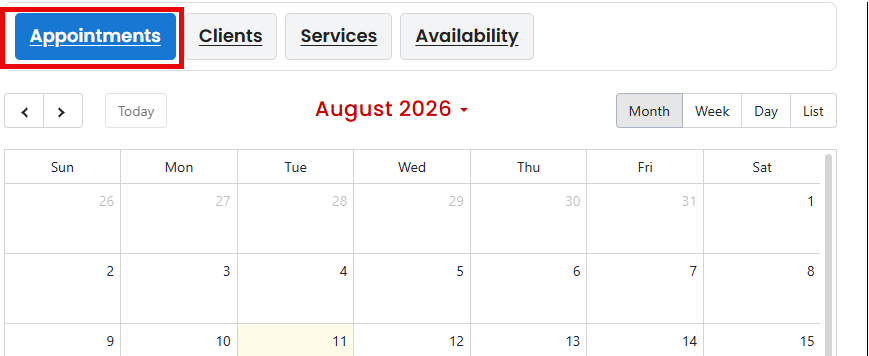
Use the Appointments, Clients, Services, and Availability navigation in your booking dashboard.
Step 3: Add your services #
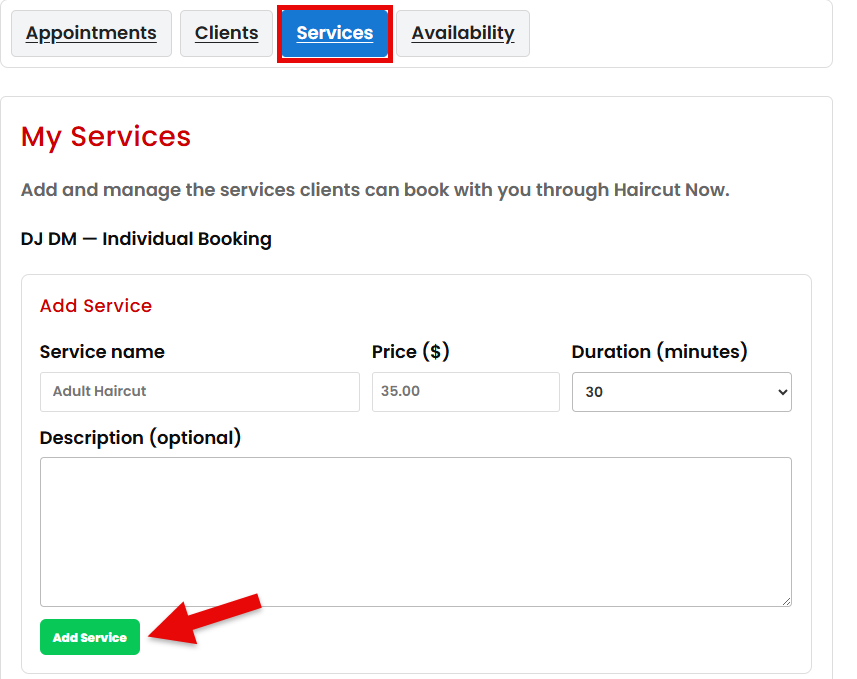
Create the services you want clients to be able to book.
For each service, make sure you enter the correct:
- Service name
- Price
- Appointment duration
Only offer services you are prepared to provide through online booking.
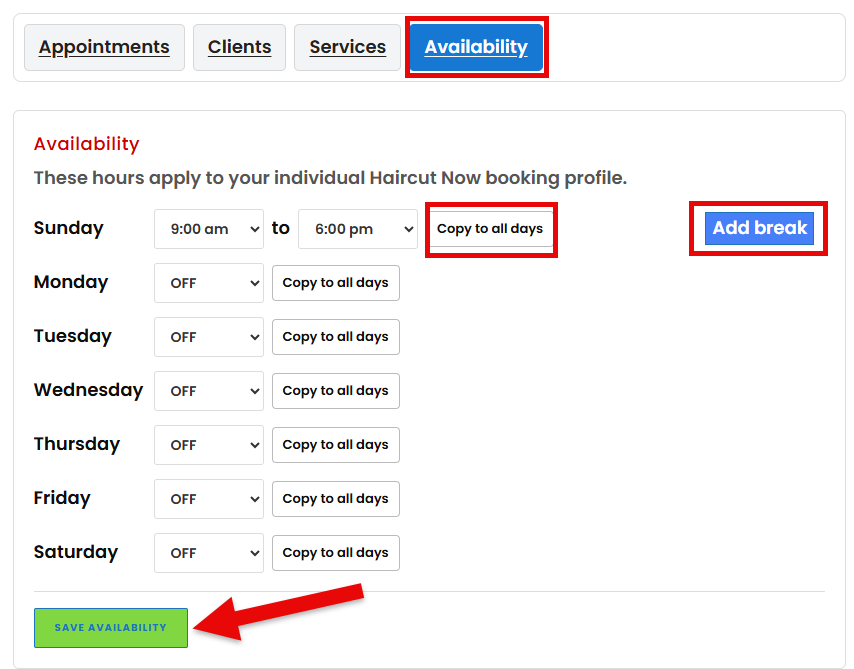
Step 4: Set your availability #
Choose the days and times when clients are allowed to schedule appointments.
Your available times should reflect when you are actually available to accept booked clients.
Step 5: Review your setup #
Before promoting online booking, make sure:
- Your services are correct.
- Prices are accurate.
- Appointment durations provide enough time.
- Your availability is current.
- Your phone number and email address are correct.
Once your setup is complete, clients can book available appointments directly from your listing.