
Late booth rent payments are easier to handle when the shop has one shared ledger and one clear process. In a booth-rent barbershop or salon, the goal is simple: keep renters independent, keep records clean, and know exactly what is still owed without chasing down every payment by memory.
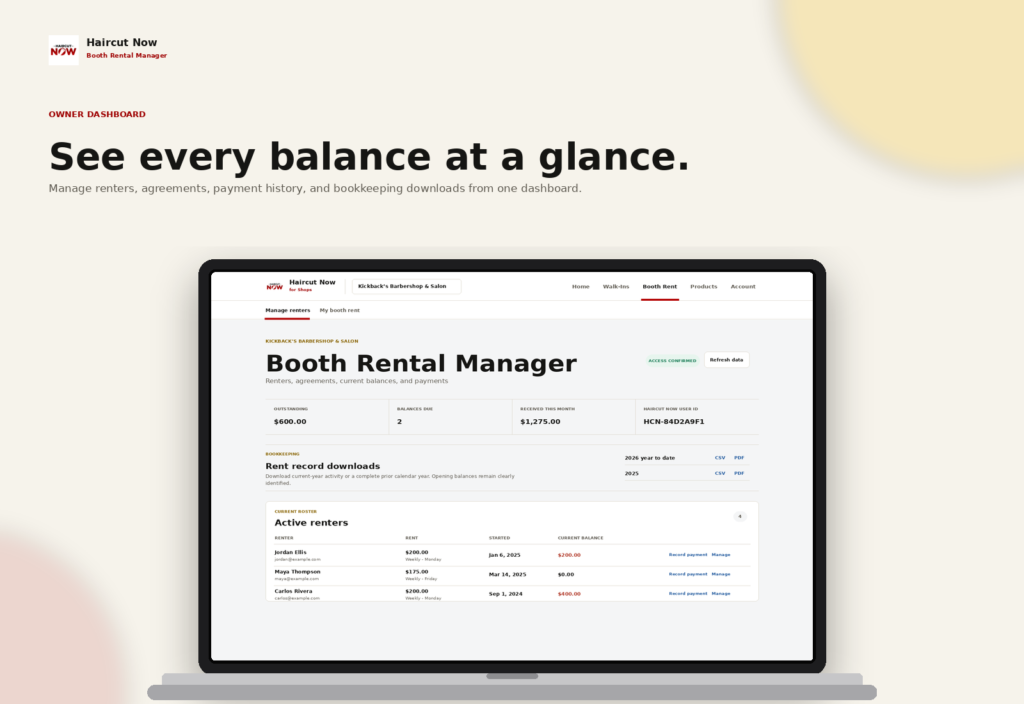
That is where a purpose-built rent ledger helps. With Booth Rental Manager, an owner or authorized manager can track agreements, balances, credits, partial payments, and agreed late fees in one place while renters keep paying through their existing methods.
Start with a clear rent agreement, not a scramble later
The easiest time to prevent confusion is before a balance goes late. Set up each renter with the rent cadence that matches the chair agreement: weekly, biweekly, monthly, or even one-time rent when that is the arrangement. Record the amount, start date, and terms so everyone is working from the same numbers.
A clean ledger does two jobs at once. It shows the shop-wide picture for the owner and gives each renter a private view of their own charges and balance. That matters in an independent chair business, because the rent relationship should stay straightforward even when people use different payment methods.
- Record the rent amount for the agreement period.
- Set the start date so the ledger reflects when charges begin.
- Note the terms for any late fee or payment expectation.
- Keep one source of truth for balances, credits, and payment history.
Use the ledger as the first place you look when rent is late
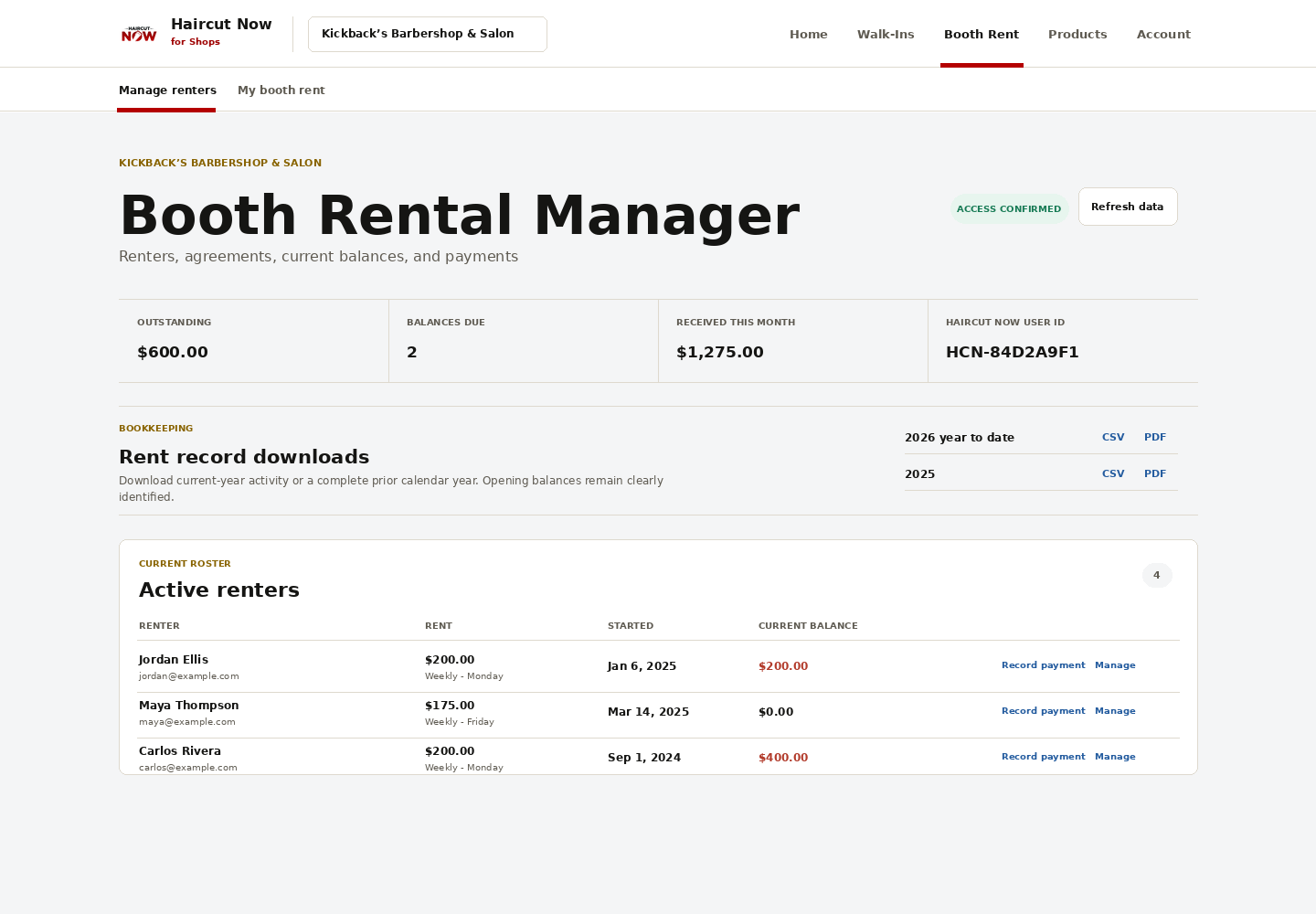
When a payment is late, the main question is not “Who owes what in general?” It is “What does the ledger show right now?” Booth Rental Manager is built for that exact review. An owner or manager can see outstanding amounts, credits, recorded payments, and any applicable late fees in one dashboard instead of piecing the situation together from texts, notes, and memory.
That gives you a practical workflow for late booth rent payments:
- Open the renter’s record and review the current balance.
- Confirm whether there are prior credits or partial payments.
- Add any agreed late fee if that is part of the rental terms.
- Record the payment when it is received.
- Export a statement if you want a clean paper trail for bookkeeping.
This keeps the focus on facts rather than assumptions. If a renter has already sent money, the ledger can show that payment. If a renter says they paid, they can also report the payment for owner confirmation.
Let renters stay independent while the shop stays organized
In a booth-rent setup, many renters prefer to keep using the payment methods they already use. That can include cash, Zelle, Cash App, Apple Pay, Square, and other received-payment methods. Booth Rental Manager does not replace those methods; it records what was received so the shop can keep accurate balances.
That distinction matters. An owner is not trying to turn booth renters into employees or micromanage how they handle their own clients. The ledger simply helps the shop track rent cleanly, especially when different renters pay on different schedules.
For renters, the private mobile-friendly view is useful because it shows agreements, charges, recorded payments, and balances without requiring a desk visit every time they want an update. For the owner, the benefit is fewer “What do I owe?” conversations and less guesswork about what has and has not cleared.
How to handle partial payments, credits, and corrections
Late rent usually gets messy when a shop treats every payment as all-or-nothing. A better process is to record the actual amount received, even if it is only part of the balance. That way, the ledger reflects reality and the remaining amount stays visible.
Use the same approach for credits and corrections. If a renter paid ahead, has an applied credit, or needs an adjustment, record it directly in the ledger so the balance stays accurate. That makes follow-up conversations much easier because both sides can look at the same numbers.
- Partial payment: record the amount received and leave the remaining balance visible.
- Credit: apply it to the renter’s account so it offsets future charges.
- Correction: update the ledger when a prior entry needs adjustment.
- Late fee: record only the fee that matches the shop’s agreed terms.
That kind of bookkeeping is especially helpful for owners managing multiple chairs, because one overlooked adjustment can make the whole month’s rent summary harder to trust.
Keep the communication simple and document it in the ledger
When a payment slips, the best communication is direct and short. General business advice: send a quick reminder that includes the amount due, the date the balance is being reviewed, and whether a late fee is part of the agreement. Then update the ledger after the renter pays or reports the payment.
Because renters have their own private view, they can see the charge history and balance instead of relying on memory. That reduces back-and-forth and helps preserve the independence of the chair arrangement. For the owner, the ledger becomes the practical record of what was agreed, what was received, and what still needs attention.
Use statements when you need a clean record for bookkeeping
At the end of the week, month, or tax year, it helps to have a clean summary rather than a long message thread. Booth Rental Manager can export current-year or prior-year PDF and CSV statements, which is useful for bookkeeping and for reviewing how rent has been recorded over time.
If you manage several renters in one location, those exports make it easier to answer questions like:
- Which balances are still outstanding?
- Which renters have credits on account?
- Which payments were recorded during the period?
- Which late fees were applied under the agreement?
That kind of reporting does not collect money for you, but it does remove the chaos from tracking it.
How a booth-rent shop can use the workflow day to day
A simple, repeatable process is usually enough:
- Add the renter and set the rent agreement.
- Review balances on the agreed schedule.
- Record late fees only when the shop terms call for them.
- Log cash or other received payments as they come in.
- Accept renter payment reports and confirm them in the ledger.
- Send a statement or summary when needed for records.
That workflow works well in independent chair shops because it respects how booth renters already operate while giving the owner a reliable view of rent status.
FAQ
Can renters still pay the way they normally do?
Yes. Booth Rental Manager is a shared rent ledger, so renters keep paying through their existing methods while the shop records the payment and balance.
Can a renter update the owner that payment was sent?
Yes. Renters have a private mobile-friendly view and can report payments for owner or manager confirmation.
Does the system process the money?
No. The product records payments, credits, adjustments, and balances; it does not replace the payment method the renter uses.
Can I track multiple renters in one shop?
Yes. The product supports unlimited renters at one shop/location without per-renter charges.
What if I need a report for bookkeeping?
You can export current-year or prior-year PDF and CSV statements to review rent activity and balances.
If you want a cleaner way to manage late booth rent payments without sorting through texts and receipts, start with a ledger built for independent renters and shop-level visibility.