
A transparent barbershop walk in queue helps walk-in clients understand what happens next, while giving booth-rent owners a fair system that does not depend on someone standing at the front desk all day. The goal is simple: set expectations clearly, keep names private, and let the shop rotate walk-ins in a consistent order.
For independent chair shops, that matters because walk-in traffic can be unpredictable. A good queue presentation makes the day feel orderly without making the owner manually assign every client or the barber constantly chase the next turn.
What a transparent walk-in queue should communicate
From a client’s point of view, the best queue is easy to read and hard to misunderstand. It should show the basic status of the line, the order in which walk-ins are being handled, and any simple expectation-setting details the shop wants to share. In practice, that usually means a short display with names or a minimal identifier, the current place in line, and a calm message about how the shop handles arrivals.
For the owner, transparency is about reducing confusion before it starts. When people know they were checked in fairly and the shop is using a consistent flow, there is less pressure on the front desk, fewer repeated questions, and less awkward negotiating over who goes next.
Keep the language simple
- Use short labels that are easy to read at a glance.
- Use plain names instead of long notes whenever possible.
- Show only what a client needs to understand the current queue.
- Keep the message consistent so the process feels predictable.
Fairness comes from process, not from promises
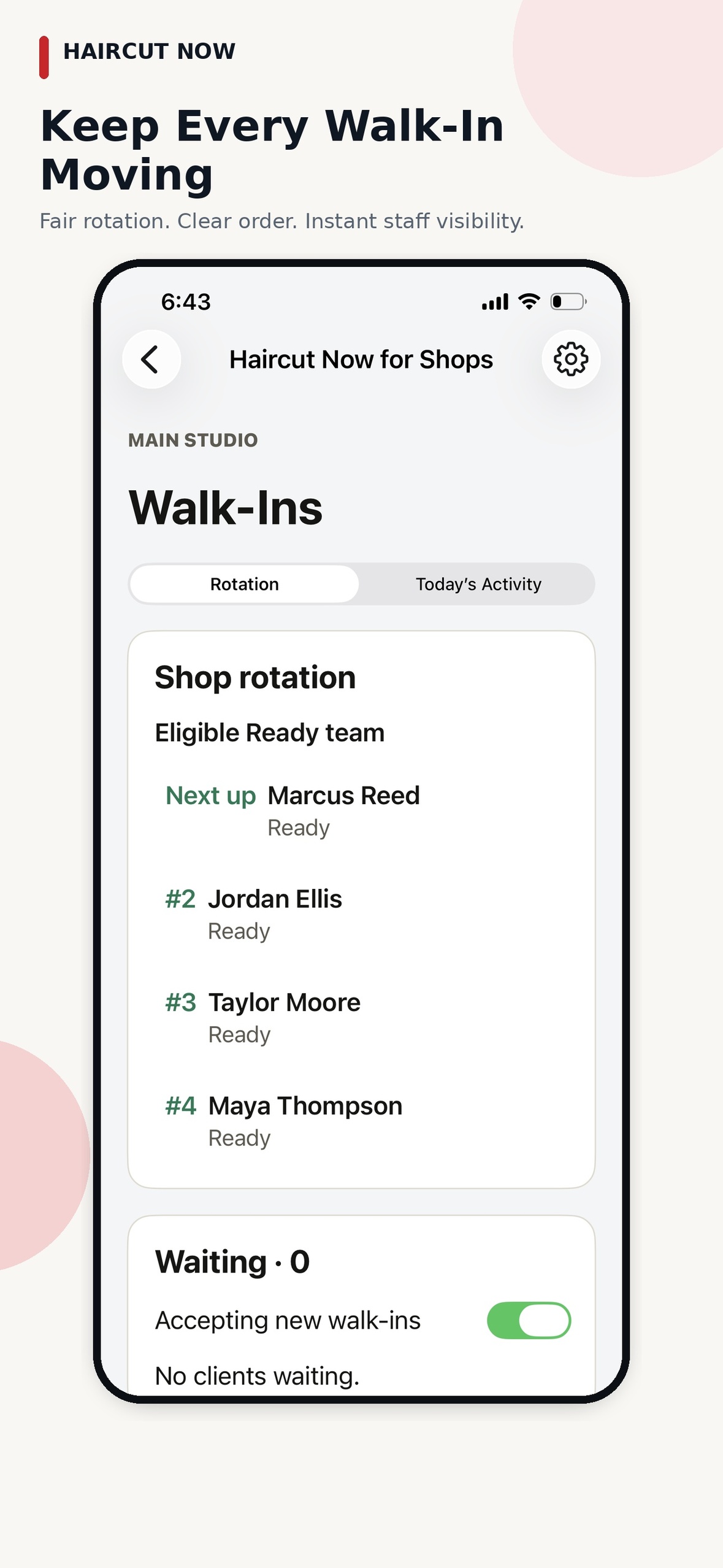
A transparent queue should help the shop explain fairness without overpromising results. In a booth-rent shop, that means the process should be consistent: clients enter their name at the kiosk, the shop rotates eligible professionals in a fair round-robin pattern, and the next ready professional receives the walk-in offer on their phone or browser home-screen app. If a barber taps Pass, that does not erase their place, and if an offer is ignored the system moves on automatically.
That kind of flow supports trust because it shows that the queue is not being improvised in the middle of the day. It also keeps the owner from having to stand there and manually decide who should get the next walk-in each time someone arrives.
General advice: do not tell walk-in clients exactly how long they will wait unless you can truly support that expectation in your own shop conditions. A transparent queue is most useful when it explains the order, not when it promises a result.
How Walk-In Manager supports a transparent queue
Walk-In Manager is built to automate walk-in distribution once the shop owner or manager finishes the initial setup. After the kiosk, team setup, and location-based staff check-in are ready, team members check themselves in when they arrive. From there, the daily walk-in order begins with fair automated rotation among eligible checked-in professionals.
When a client arrives, they enter only their name at the kiosk on a browser-based Apple or Android tablet, using a floor stand or countertop setup. There is no app or login for the client. The next ready, eligible professional receives a mobile offer and chooses Accept or Pass. If the offer is ignored, the system moves on, marks that staff member Busy, and the barber taps Ready again when available.
That structure gives the shop a queue that feels visible and understandable without making the owner act like a receptionist. The product is designed so the shop can keep moving while the system handles the next turn.
What the shop owner can configure
- Optional service categories created by the owner.
- Staff eligibility tied to those service categories.
- Owner- or manager-controlled check-in support for legitimate device issues.
- Unanswered-offer timeout settings of 30, 60, or 90 seconds.
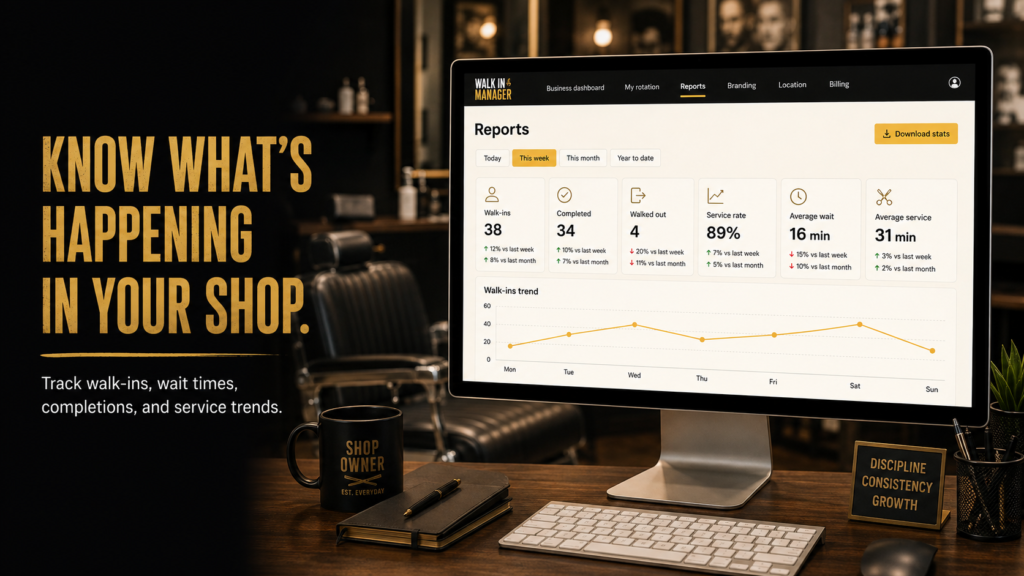
- Reports for walk-ins, completions, walkouts, wait times, and service trends.
For an independent shop, those controls are useful because they keep the queue fair without turning the owner into a full-time dispatcher. The shop can stay organized while the team keeps its independence.
Privacy matters in a walk-in line
A transparent queue should be informative without oversharing. In many shops, that means using simple names and limiting what the waiting area displays to the basics. Clients want to know that they are in line and that the process is moving; they do not need the shop to expose more information than necessary.
That is especially important in booth-rent environments where barbers work independently and may have their own business relationships with their clients. A queue display should support the shop’s workflow without turning the waiting area into a public record of everyone’s business.
General advice: if you choose to display client names, keep the format straightforward and avoid unnecessary detail. The more readable the queue, the fewer questions the front counter has to answer.
How to explain the queue to walk-in clients
Clear expectations usually come from one short explanation. A shop owner can tell walk-ins that the team is checked in, the shop rotates ready professionals fairly, and the next available person receives the offer automatically. That is enough for most clients to understand why the line is moving the way it is.
- Welcome the client and have them enter their name at the kiosk.
- Let the queue handle the order from there.
- Use the display to keep the line understandable.
- Keep the explanation consistent from client to client.
When the shop says the same thing every time, the queue feels more professional. It also reduces the chance that one loud request or one hurried day changes the experience for everyone else.
Why owners like a transparent, automated queue
A well-presented queue does more than organize arrivals. It protects the owner’s time, supports the barber’s independence, and makes the shop feel fair even on busy days. In a booth-rent shop, that can be especially valuable because the owner may not have a receptionist and the barbers may be handling their own books, clients, and payment methods outside the walk-in flow.
Walk-In Manager is designed for that reality. It gives the shop a fair walk-in distribution system, supports one shop location with unlimited applicable team members, and offers reports for the owner who wants to review walk-ins and service trends without running the floor minute by minute.
If you want to see how the workflow is set up for a real shop environment, visit Walk-In Manager.
FAQ
What should a barbershop walk in queue show?
It should show the basic line status, the order of service, and simple information that helps clients understand what happens next. The best queue is clear, brief, and easy to follow.
How does Walk-In Manager handle the next client?
After setup, the system rotates through eligible checked-in team members in fair round-robin order. The next ready professional receives a mobile offer and can accept or pass.
Can the owner keep the queue running without constantly managing it?
Yes. The product is built so the walk-in flow can operate independently after initial setup, with owner or manager intervention used only when needed.
Does the queue need to show every detail?
No. A transparent queue works best when it gives clients the information they need without clutter or unnecessary detail.