If you manage booth renters, the right checklist keeps rent conversations clear without turning your week into a paper chase. A shared rent ledger gives you one place to set terms, track what each renter owes, and see what has already been recorded, while each independent barber or stylist keeps paying through their existing methods.
That is the real advantage for booth-rent shops: fewer loose ends, cleaner recordkeeping, and a simpler way to manage booth renters without turning the shop into a collection desk. Here’s a practical onboarding-and-recordkeeping checklist you can use at the counter, in the office, or when you review the month.
1) Start with a simple renter onboarding checklist
Before the first rent cycle begins, gather the basics for every booth renter and enter them into your ledger. The goal is to make the agreement easy to reference later, not to create extra admin work.
- Renter name and shop location
- Rental cadence: weekly, biweekly, monthly, or one-time
- Amount due for the agreement
- Start date
- Terms you want attached to the record
- Preferred payment method notes if you want them visible in your shop workflow
A clean onboarding process matters because it makes later questions easier to answer. When a renter asks what is due and why, you should be able to point to the agreement immediately instead of searching through texts, notes, and screenshots.
2) Use one rent ledger workflow for the whole shop
The most useful rent workflow is the one your team can actually repeat. For booth-rent shops, that usually means one owner or authorized manager maintains the ledger, reviews balances, and updates records as payments arrive or are reported.
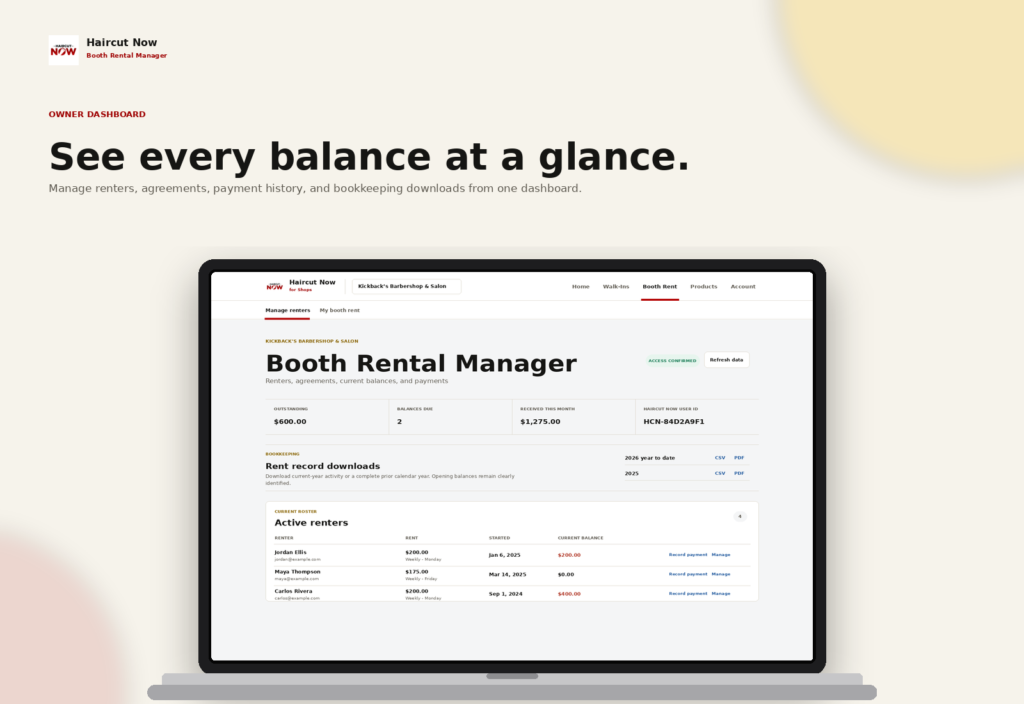
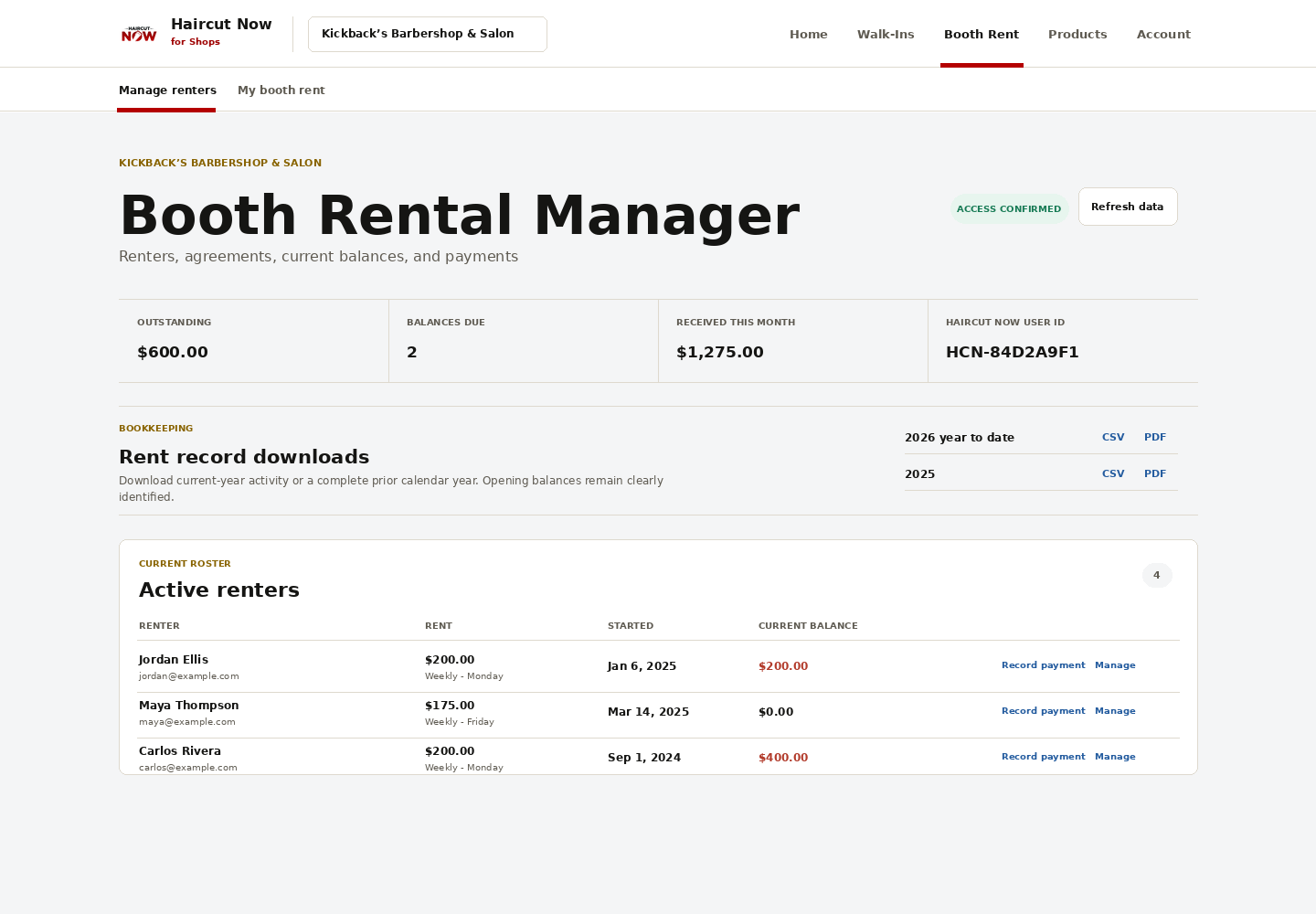
With Booth Rental Manager, the shop owner or authorized manager adds renters and records the agreement details. From there, you can view shop-wide balances, outstanding amounts, credits, payments, and recorded adjustments in one place. That makes it easier to manage booth renters without relying on memory or scattered notes.
A practical weekly flow
- Review each renter’s current balance.
- Check who has upcoming rent due dates or overdue amounts.
- Record any payments received through your normal channels.
- Confirm renter-reported payments before treating them as final in the ledger.
- Note corrections, credits, or applicable late fees where appropriate.
This approach keeps the ledger current while still respecting the fact that independent renters may use different payment methods and payment habits.
3) Track rent due, payments, and balances separately
A strong checklist separates what was charged from what was paid and from what is still outstanding. That distinction helps prevent misunderstandings when a renter pays part of the balance now and the rest later.
Booth Rental Manager is built for exactly that kind of recordkeeping. It tracks charges, partial payments, credits, corrections, and late fees, while showing the current balance and outstanding amount for each renter. You can also record received payments using methods your shop already accepts, including cash, Zelle, Cash App, Apple Pay, Square, and other methods you receive.
General advice: Decide in advance how your shop handles partial payments and late fees, then apply that policy consistently. The software gives you the ledger structure; your shop policy gives it consistency.
4) Keep payment reporting and payment confirmation clear
For independent booth renters, it helps to keep payment reporting separate from payment confirmation. That protects the relationship while keeping the bookkeeping accurate.
Renters have private, mobile-friendly views of their agreements, charges, recorded payments, and balances. They can report a payment for owner or manager confirmation, and the owner can also record payments directly. In practice, that means a renter can let you know they paid, and you can confirm and record it in the ledger when you see the payment in the method you use.
This setup works especially well in shops where renters keep their own customer flow and payment methods. You are not trying to force everyone into one payment channel; you are keeping an accurate shop record.
5) Build late payment handling into the checklist
Late payments are easier to manage when the process is already written down. Your checklist should answer three questions:
- When is rent considered late?
- What late fee, if any, applies?
- Who records the late fee and when?
Once you have those answers, record them consistently in the ledger. Booth Rental Manager lets you attach terms to the agreement and record applicable late fees alongside balances and payments, so your bookkeeping stays organized when a renter is behind or when a correction is needed.
For a busy booth-rent shop owner, this is where the time savings show up. Instead of piecing together a payment history from messages and bank notes, you can review the ledger and see the current status in one place.
6) Give renters a private view without giving up control of the books
Independence matters in booth rental. Renters should be able to understand their own balance without feeling like they need to ask the office for every small detail.
That is why a private renter view is useful. Each renter can see their agreements, charges, recorded payments, and balances on a mobile-friendly view, while the owner or authorized manager remains in control of the shop ledger. The result is fewer back-and-forth questions and less manual coordination for the owner.
General advice: If you run a booth-rent shop, keep your rent policy short, written, and easy to share. Clarity reduces conflict faster than reminders do.
7) Export records for bookkeeping season
Whether you hand records to your tax preparer or keep digital files for your own books, exportable statements are a major help. Booth Rental Manager supports current-year and prior-year PDF and CSV statements, which makes it easier to review history, archive records, and pull totals when you need them.
If you have ever had to reconstruct a year of rent records from text messages, you already know why this matters. A good ledger workflow saves time not just every week, but every quarter and every tax season too.
8) Decide what your shop needs from the ledger before you buy
If your main goal is to manage booth renters with less manual follow-up, focus on the features that fit that job: agreement setup, balance tracking, payment recording, renter visibility, and exportable statements. Booth Rental Manager is designed for independent booth-rent barbershops and salons, and it supports unlimited renters at one shop/location without per-renter charges.
For owners who want one system that supports both shop operations and rent tracking, Booth Rental Manager can also combine with Walk-In Manager as Shop Operations. That can be useful if you want your rent ledger and walk-in flow under the same Haircut Now ecosystem.
Learn more here: Booth Rental Manager
FAQ
How does Booth Rental Manager help me manage booth renters?
It gives the owner or authorized manager one shared rent ledger to add renters, set rental terms, record payments, track balances, and review outstanding amounts and credits in a single place.
Can renters see their own rent records?
Yes. Renters have private, mobile-friendly views where they can review their agreements, charges, recorded payments, and balances.
Does the product collect rent for me?
No. It is a recordkeeping tool for rent due, payments, balances, and related adjustments. Renters continue paying through their existing methods, and the owner or manager records those payments in the ledger.
Can I track partial payments and late fees?
Yes. The ledger supports partial payments, credits, corrections, and applicable late fees, so you can keep the shop record accurate when a payment is split or delayed.
Can I export my records for bookkeeping?
Yes. You can export current-year or prior-year statements in PDF and CSV format for bookkeeping and record review.