A fair walk-in rotation should not require a receptionist, shop owner, or manager to stand watch all day. With Walk-In Manager, customers check in at the kiosk, the system offers walk-ins automatically, and participating barbers and stylists respond on their phones.
Once the shop is set up, the system is designed to run independently. Walk-ins can be distributed in fair round-robin order, missed offers can be handled automatically, and team members can manage their own readiness. The owner remains free to focus on running the business instead of coordinating every haircut.
What a fair walk-in rotation actually means
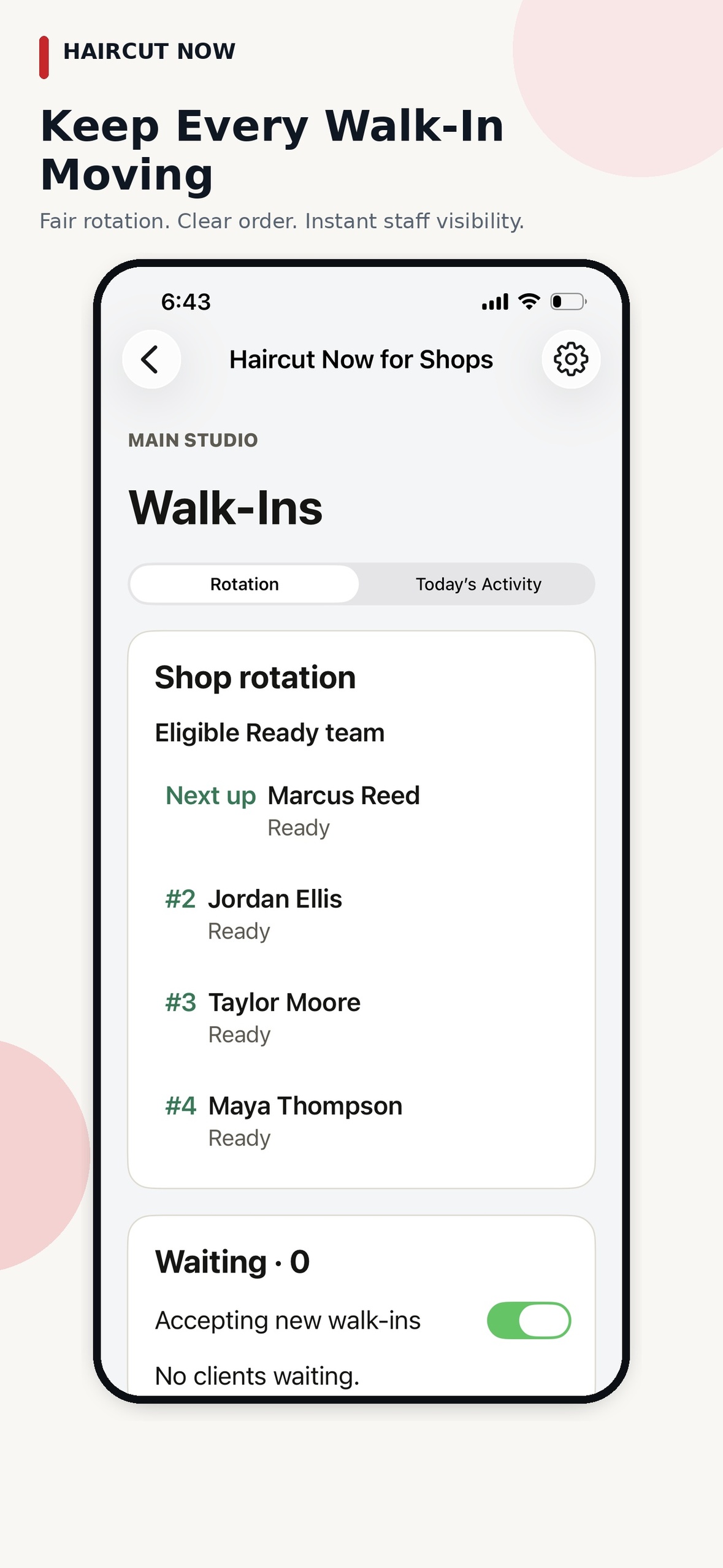
In Walk-In Manager, fairness means using an automated round-robin sequence for the participating team members who have checked in and are eligible to receive an offer. The result is a consistent way to distribute new walk-ins among eligible professionals, with a clear record of each offer.
Here is what happens during an ordinary walk-in:
- Customers check in at a tablet or kiosk, ordinarily by entering their names.
- The system sends the walk-in offer to an eligible participating barber or stylist based on its round-robin rotation.
- The receiving barber or stylist can accept or pass the mobile walk-in offer.
- The system records queue activity automatically, so owners can check the history whenever they choose.
That is the value of automation: the shop no longer depends on someone remembering whose turn comes next.
Set it up once, then let the system run
The owner’s main work happens during initial setup: configure the kiosk, add participating team members, decide whether to enable custom service categories, and choose how long an unanswered offer can remain open. The offer timeout can be set to 30, 60, or 90 seconds. After that, daily check-in and readiness are handled by the participating team—not by a receptionist or manager.
How the Walk-In Manager rotation works
- Customer check-in: A walk-in enters their name at the shop kiosk.
- Team-member offers: The system uses its fair round-robin sequence to offer the walk-in to an eligible, checked-in team member who can accept or pass.
- Optional service routing: If the owner or manager enables custom service categories, the system considers which team members are eligible for that service. Otherwise, the original simple rotation stays in place.
With these settings in place, the rotation continues automatically as walk-ins arrive. Owners can view activity or step in when they want, but routine assignment does not require their attention.
The daily routine belongs to the team
Participating barbers and stylists check in for the day and use their own Ready status. Customers enter their names at the kiosk. The system connects these two simple actions and manages offers without anyone at the front desk directing traffic.
A typical day looks like this:
- Participating team members check in for the day and use the available team readiness controls.
- When optional service categories are enabled, Walk-In Manager uses the eligibility rules already configured by the shop.
- Customers enter their names at the kiosk and, when service routing is enabled, can identify the service category.
- Walk-In Manager uses round robin to send the offer to an eligible checked-in team member, who can accept or pass it.
- The app advances the queue as offers are accepted, passed, or missed; a team member can tap Walked Out when a customer leaves.
Imagine three walk-ins checking in while several barbers are Ready. The system automatically sends the next offer to an eligible barber in the rotation. An acceptance keeps the process moving, a pass is handled by the app, and an unanswered offer triggers the configured timeout—without calling the owner over to intervene.
Mobile offers, passes, and missed responses
A mobile offer gives the next eligible barber or stylist a clear decision: Accept when ready for the walk-in or Pass when unavailable for that offer. The team can follow a consistent system instead of relying on verbal calls across the shop.
If a barber does not answer an offer, Walk-In Manager waits for the timeout configured by the shop owner—30, 60, or 90 seconds—and then marks that team member Busy. When ready to receive walk-ins again, the barber taps Ready. The manager does not have to watch a timer or manually move offers forward.
The everyday controls are straightforward:
- Accept: A participating barber or stylist takes the offered walk-in from their phone.
- Pass: The barber passes the offer, and the system handles the rotation.
- No answer: After the selected 30-, 60-, or 90-second interval, the system marks the barber Busy; the barber taps Ready when available again.
These simple staff actions allow Walk-In Manager to keep operating while owners and managers concentrate on other work.
When someone passes or walks out, the flow continues
A walk-in customer might leave before being served. A barber might pass on an offer. Another barber may miss an alert. These events happen in ordinary shop life; they should not require the owner or a receptionist to keep correcting the queue.
Walk-In Manager keeps these situations simple:
- Service eligibility: When optional custom service categories are enabled, the system routes offers only to participating staff eligible for that service.
- Missed offers: The configured 30-, 60-, or 90-second timeout marks an unresponsive barber Busy, and the rotation continues.
- Walk-outs: If a customer leaves before service, the barber can tap Walked Out. No front-desk intervention is needed.
- Returning to rotation: When a team member is ready again, they tap Ready to receive offers.
Owners and authorized managers still have visibility when they want it. But these everyday changes are handled through the app and team-member controls, so normal shop traffic keeps moving without a manager assigning customers.
For customers, the experience stays simple: enter a name at the kiosk and join the queue. The work of coordinating offers happens automatically behind the scenes.
No receptionist or manager required to run the queue
A receptionist does not need to sign customers in or call out whose turn is next. The kiosk takes care of customer check-in, the system selects eligible staff using round robin, and mobile notifications let barbers respond directly. That is what makes Walk-In Manager useful in an independently operated booth-rent shop.
The work is distributed between the kiosk, the automation, and participating staff:
- Kiosk: The walk-in enters a name to join the queue.
- Automatic rotation: Walk-In Manager sends the offer to the next eligible team member.
- Team member: The barber accepts or passes the offer, manages Ready status, and can mark a departing customer Walked Out.
- Owner or manager: Sets up the system initially and can consult reports or intervene occasionally, rather than running every turn.
Once the team knows these few actions, the routine does not depend on someone sitting at a reception desk or watching an owner dashboard.
One-time owner setup, everyday automatic operation
Most of the owner’s decisions are made when setting up the shop:
- Set up the kiosk and add the participating barbers and stylists.
- Choose whether optional service categories are needed and configure staff eligibility if they are.
- Select the unanswered-offer timeout: 30, 60, or 90 seconds.
- Show the team how to check in, tap Accept or Pass, select Ready, and use Walked Out when appropriate.
- Let the automated round-robin workflow distribute walk-ins during normal operations.
- Participating staff know which supported availability controls they must update during the day.
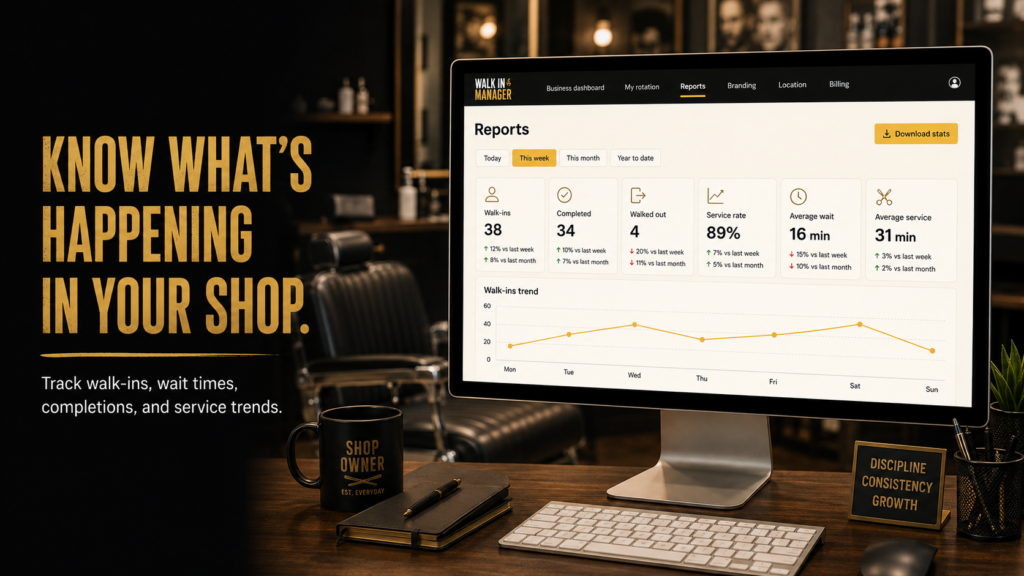
- Review queue activity or reports whenever you want an overview of the shop.
Once those settings are established, the system is designed to operate with very little day-to-day attention from the owner or manager. The goal is not to create a new administrative task; it is to remove one.
A walk-in system that works without constant supervision
Paper sign-in sheets and verbal turn-taking depend on someone paying attention all day. Walk-In Manager replaces that coordination with kiosk check-in, automated staff rotation, and mobile offers. The queue keeps operating as barbers respond, change readiness, or mark a walk-out. Owners can still see activity, but they do not need to supervise each walk-in.
If you’re ready to stop managing walk-in turns by hand, explore Haircut Now’s Walk-In Manager and see how a self-service kiosk, fair rotation, and automated mobile offers can help your shop run independently.
FAQ
How does Walk-In Manager decide which barber receives a walk-in?
Walk-In Manager uses automated round robin across participating team members who have checked in and are eligible to receive an offer. Optional service-category routing considers which professionals are eligible for the requested service.
How do barbers respond to a walk-in offer?
A participating barber receives the walk-in offer on their phone and taps Accept or Pass. Walk-In Manager handles the next step automatically.
What happens if a barber doesn’t respond?
After the owner-selected 30-, 60-, or 90-second timeout, the system marks the barber Busy and continues handling the queue. The barber can tap Ready when they are available again.
What if a customer walks out?
A participating barber can tap Walked Out to update the queue, and the system takes care of the rest.
Can shops use service categories in their walk-in rotation?
Yes. Owners and managers can enable optional service categories and assign participating team members to the services they provide. Shops that don’t need this feature can continue with the original simple round-robin workflow.
Does someone have to manage the walk-in queue all day?
No. After setup, the kiosk handles customer check-in, the system distributes offers, and barbers use their own devices to respond and manage availability. Owners and managers have optional visibility when they want to check activity.