When a walk-in customer asks, “How long will it be?” the best answer is the one your shop can actually keep. For owners running booth-rent or mixed teams, the real challenge is not just the line—it is setting honest expectations while keeping the next ready barber moving through a fair, automated rotation.
That is where a tool like Walk-In Manager can help a shop stay organized without turning the owner into the daily queue keeper. The goal is simple: keep walk-ins flowing, keep the process fair, and give customers a clearer experience from the moment they check in.
What “wait time” really means in a walk-in shop
There is no single correct answer to the question of barbershop walk in wait time. A short line at 10 a.m. can turn into a longer wait at noon, and a busy Saturday can feel different from a weekday afternoon. As an owner, the most useful approach is to define a wait-time promise you can support with your actual capacity and service pace.
General advice: use the language of ranges, not guarantees. For example, a front counter sign, kiosk message, or phone reply can say that wait times vary based on current demand and service length. That kind of expectation-setting is often better than quoting a number you cannot maintain all day.
How fair walk-in distribution supports a better customer experience
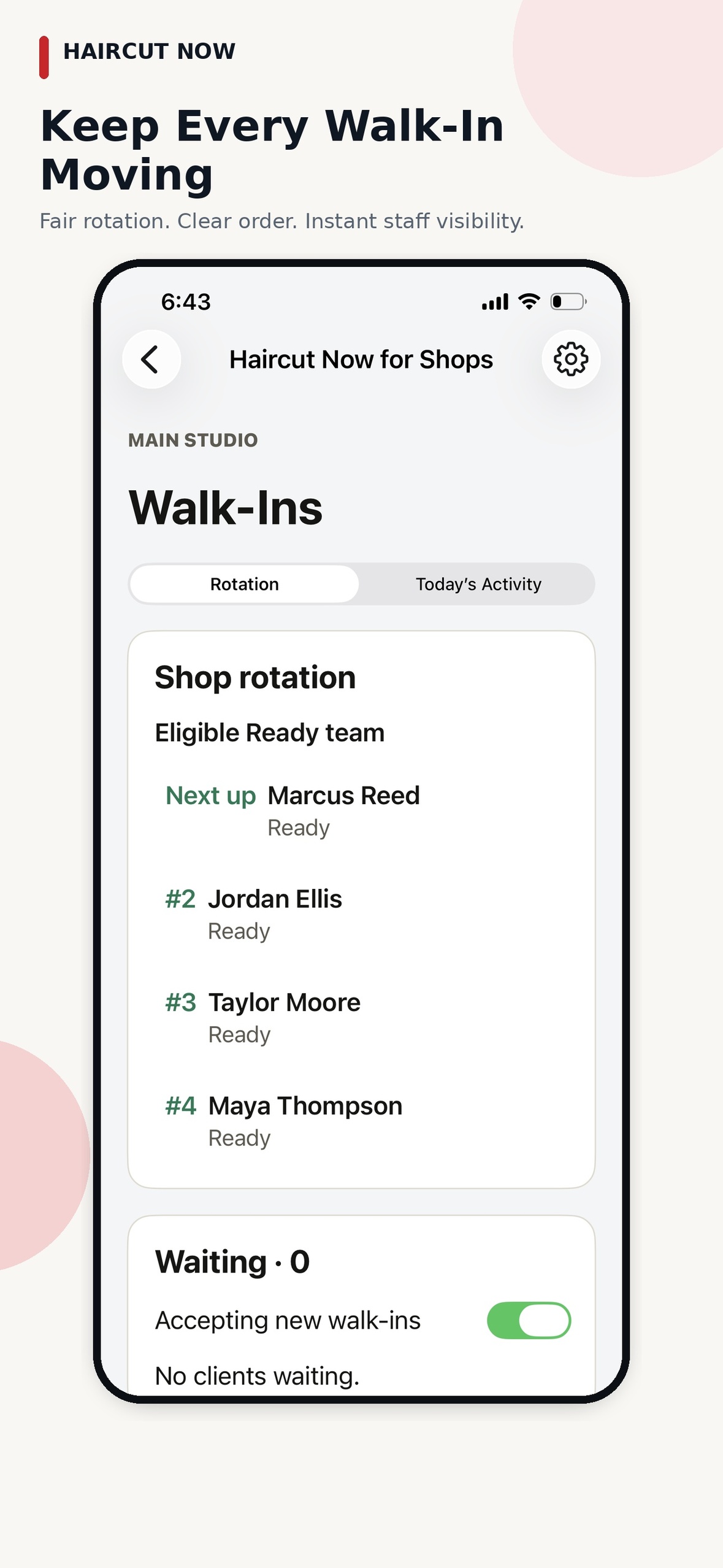
Walk-In Manager is designed to automate walk-in distribution after your initial shop setup. Team members check in when they arrive, and the day begins with a fair automated round-robin among the eligible professionals who are checked in.
That matters for wait-time management because customers usually care less about the exact mechanic and more about the feeling that the shop is moving in an orderly way. When the next ready barber receives the offer on a mobile device and can Accept or Pass, the queue keeps moving without the owner manually assigning every client.
- Client flow: the customer enters only their name at the kiosk.
- Staff flow: the next eligible checked-in barber or stylist gets a mobile offer.
- Queue flow: when someone passes, the offer moves on and the person keeps their place in the rotation.
That structure helps owners keep the line fair and predictable without needing to stand over the kiosk or reassign each walk-in by hand.
How to set honest expectations without overpromising
If your shop gets heavy foot traffic, honest communication is one of the strongest ways to reduce friction. A customer is more patient when they know the process is orderly and the estimate is based on current demand, not a guess.
Practical ways owners can communicate wait time
- Use a simple check-in greeting that explains the shop is working through walk-ins in order.
- Share a broad estimate instead of a fixed promise when the lobby is busy.
- Update signage or verbal estimates when the flow changes during peak hours.
- Keep service categories clear so expectations match the type of haircut or service requested.
General advice: if your shop offers different service lengths, separate those expectations in your customer communication. A quick trim and a longer service should not be framed the same way.
What owners can do when demand spikes
Demand spikes are normal in barbering, especially in booth-rent shops where each professional may manage their own schedule. The goal is not to eliminate busy periods; it is to keep the flow fair and organized when the line builds.
Walk-In Manager supports that with an automated workflow that continues even when a barber passes on an offer or does not answer right away. If an offer is ignored, the system moves on, marks that professional Busy, and the barber taps Ready again when they are available. Owner-confirmed operation also includes a configurable unanswered-offer timeout of 30, 60, or 90 seconds, plus a Walked Out control for when a client leaves.
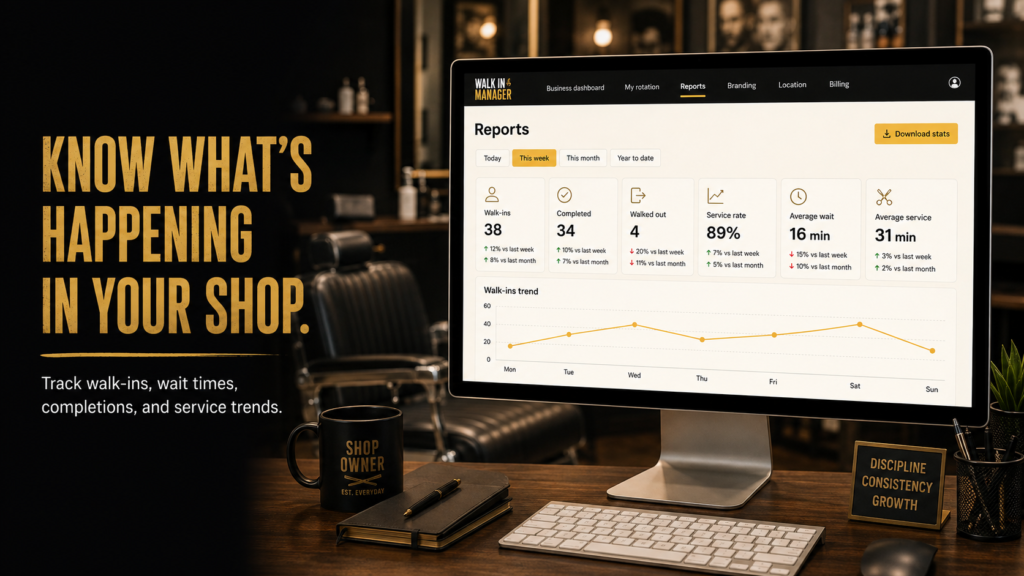
For owners, the practical benefit is less daily micromanagement. After setup, you can review reports on walk-ins, completions, walkouts, wait times, and service trends instead of actively managing every turn.
Why booth-rent shops care about fairness
In a booth-rent environment, independence matters. Barbers want to keep their own customers, their own booking tools, and their own payment methods, while the shop still needs a clean way to route walk-ins fairly. A fair round-robin system supports that balance by organizing shop traffic without forcing everyone into a single manual process.
That is especially useful when the owner is not running a receptionist desk all day. The shop can still present a professional walk-in experience, and the team can stay responsible for their own availability by checking in when they arrive and tapping Ready when they are available again.
Walk-In Manager is built for one shop or location with unlimited applicable team members, so the system can scale to the size of the team without turning into a second full-time job for the owner.
How to think about wait time reporting
Wait-time reporting is most useful when it helps you notice patterns, not chase perfection. If Saturday lunch rush is consistently longer, that tells you something about staffing, service mix, or how much walk-in demand your shop can support at that hour.
General advice: use wait-time data to improve customer communication, not to make unrealistic promises. A shop that understands its patterns can post smarter estimates, prepare for busy windows, and decide when it makes sense to offer more structured walk-in coordination.
Because the system also tracks completions, walkouts, and service trends, owners can study real traffic instead of relying on memory alone. That makes it easier to adjust how you greet customers, how you explain the line, and how you manage peak periods.
Frequently asked questions
How long should customers wait for a walk-in haircut?
There is no fixed answer that fits every shop. The best practice is to set a realistic range based on current demand, service length, and the number of checked-in professionals available to take walk-ins.
Does Walk-In Manager assign the next client automatically?
Yes. After setup, the system uses fair automated round-robin among eligible checked-in team members. The next ready professional receives a mobile offer and can Accept or Pass.
Can the shop owner manually manage every walk-in?
Owners and managers can intervene if needed, but the product is designed to run independently after initial setup. The everyday flow does not require constant owner involvement.
What happens if a barber does not answer an offer?
The system moves on after the configured timeout and marks that staff member Busy. The barber taps Ready again when available.
Can the shop track walkout activity and wait patterns?
Yes. Reports cover walk-ins, completions, walkouts, wait times, and service trends, which helps owners understand demand and communicate more clearly.
Bottom line for shop owners
If you are trying to answer barbershop walk in wait time honestly, the real win is having a process that supports the answer. Customers appreciate clarity, barbers appreciate fairness, and owners appreciate not having to run every turn by hand. A well-organized walk-in flow helps your shop feel calmer, even when the lobby is full.