
A strong booth rental agreement protects both sides of the chair: the owner has clear documentation, and the independent barber or stylist knows exactly what was agreed to from the start. For a busy shop, the best barbershop booth rental agreement checklist is less about legal jargon and more about documenting the terms that keep rent, access, and expectations organized week after week.
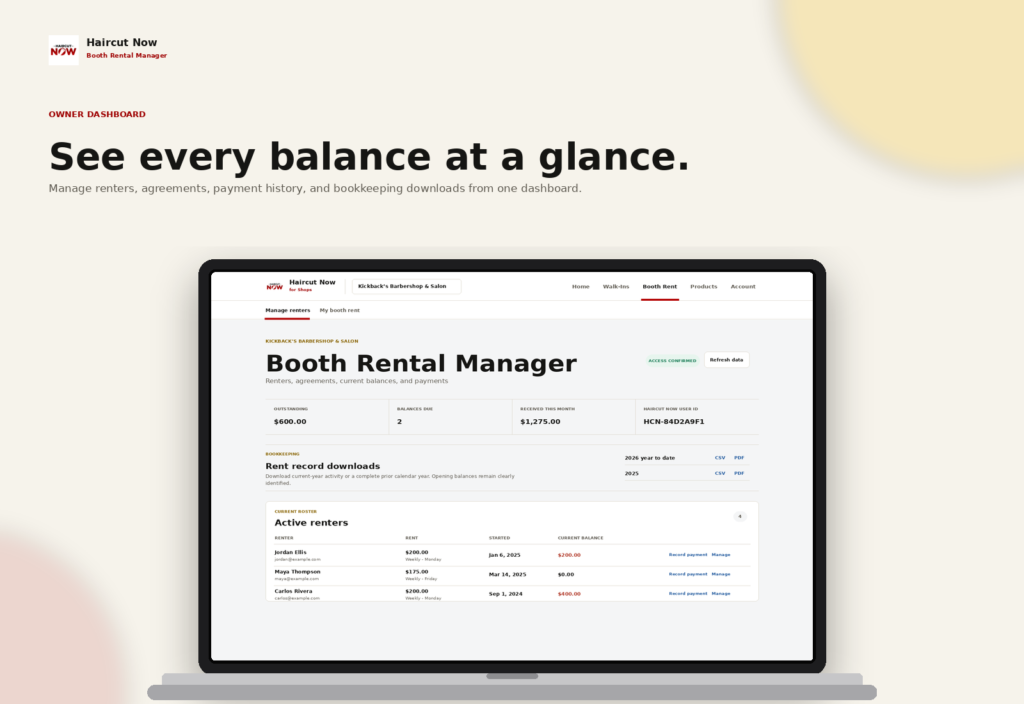
Booth Rental Manager is built for that day-to-day recordkeeping. An owner or authorized manager can set up rental agreements, track balances and payments, and give each renter a private view of the charges and records tied to their space. That makes it easier to stay consistent without turning your shop into a paperwork pile.
What to document before the first payment is due
When a booth renter moves into your shop, the agreement should answer the practical questions that come up later. General advice: keep the terms short, specific, and easy to reference. The goal is to avoid confusion about what was included, when rent is due, and how the ledger should be interpreted.
- Rental amount for the agreed billing cycle
- Start date for the agreement
- Billing frequency, such as weekly, biweekly, monthly, or one-time
- Included terms, such as station use, chair access, or other shop-specific arrangements
- Due date expectations and any late-fee terms you choose to apply
- What is considered payment proof for your shop’s process
- How partial payments, credits, or corrections will be recorded
A rent ledger works best when the written agreement and the recorded balance match the same terms. If the shop agrees to a weekly payment schedule, then the ledger should reflect that schedule from the beginning instead of relying on memory.
Why a clear ledger matters in booth-rent shops
In a booth-rent model, each renter often keeps their own customers, booking tools, and payment methods. That independence is part of the appeal, but it also means the shop owner needs a simple way to track what is owed without controlling the renter’s business flow. A shared rent ledger gives you a single place to document the financial side of the arrangement while still preserving the renter’s independence.
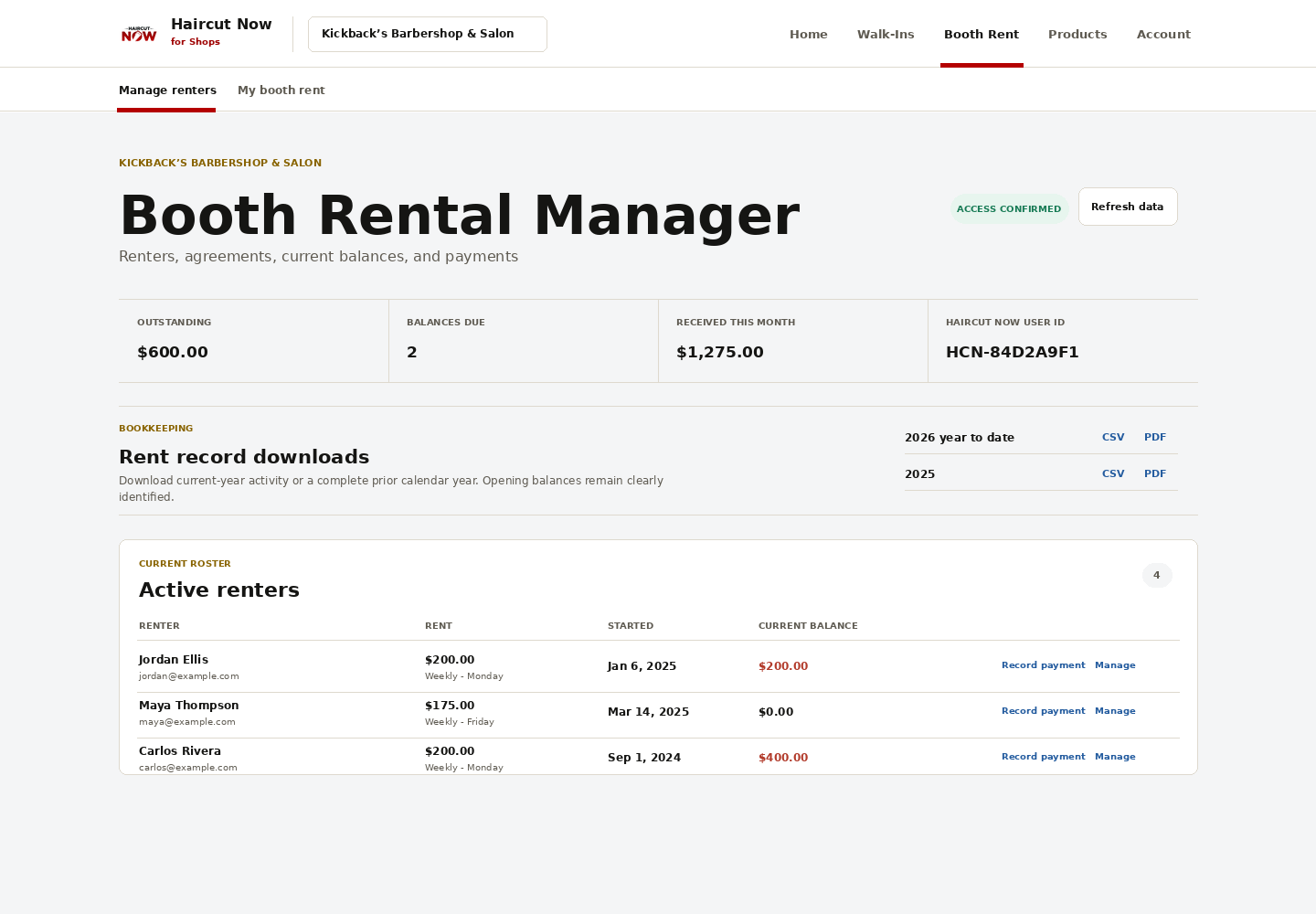
With Booth Rental Manager, an owner can see shop-wide balances, outstanding amounts, credits, payments, and recorded adjustments in one place. That is especially useful when several independent renters are on different payment schedules. Instead of juggling texts, notes, and memory, you can check the ledger and see who is current, who has a credit, and which agreement needs attention.
A practical booth rental agreement checklist for owners
Use this checklist as a starting point when you bring on a new booth renter or refresh an old agreement.
1. Identify the renter and the space
Document the renter’s name and the station or booth they are using. If your shop has multiple chairs or work areas, make sure the agreement clearly ties the renter to the correct space.
2. Write the rent terms in plain language
Note the amount due and how often it is due. Booth Rental Manager supports weekly, biweekly, monthly, and one-time rental agreements, so you can match the ledger to the schedule you actually use.
3. List the terms that affect the rental
If the renter has access to certain amenities or follows shop-specific expectations, document those terms clearly. General advice: avoid vague wording like “standard use” if you really mean specific access, hours, or shared areas.
4. Capture the start date and first due date
Start date and due date are easy to confuse later if they are not written down. Record both so there is no question about when the agreement began and when rent begins appearing in the ledger.
5. Decide how acceptance will be confirmed
Some owners keep a signed paper copy, some use a digital acknowledgment, and others store both. The important part is that you know how the renter accepted the terms and where that proof lives for future reference.
6. Define how payments will be recorded
Your shop may receive cash, Zelle, Cash App, Apple Pay, Square, or other methods. Booth Rental Manager records the payment method and the amount received, so your ledger can reflect what was actually paid rather than relying on scattered notes.
How to use the ledger without creating extra work
The best ledger workflow is the one your shop will actually maintain. Keep the process simple and repeatable:
- Create the rental agreement with the amount, start date, and terms.
- Review the balance when a payment is received or reported.
- Record the payment amount and method in the ledger.
- Apply partial payments, credits, corrections, or late fees when needed.
- Check the renter’s private view if they report a payment for your confirmation.
- Export statements when you need bookkeeping records.
That workflow helps the owner stay organized without becoming the bottleneck. Renters can also view their own agreement details, charges, recorded payments, and balances on a private, mobile-friendly screen, which reduces back-and-forth questions about what is owed.
Why renters reporting payments can help the shop
In a booth-rent setup, a renter may want to let the owner know a payment was made without turning the process into a lengthy exchange. Booth Rental Manager lets renters report payments for owner or manager confirmation, while the owner can also record payments directly. That keeps the record centered on what was received and confirmed, not on a guess.
This is useful when your shop handles multiple payment methods or when a renter pays outside normal hours. The owner still confirms the actual receipt; the ledger just makes it easier to match the report to the record.
Bookkeeping benefits owners actually feel
Documentation is not only about collecting rent. It also helps you stay ready for bookkeeping and end-of-period review. Booth Rental Manager can export current-year or prior-year statements as PDF or CSV, which is helpful when you want a clean record for your files.
For a booth-rent owner, that means you can review balances, see payment history, and keep a clean paper trail without building your own spreadsheet from scratch. The platform also supports unlimited renters at one shop or location without per-renter charges, which is useful if your booth count grows.
If you want to see the product for yourself, visit Booth Rental Manager.
What not to leave out of a booth rental agreement
General advice: avoid agreements that sound complete but still leave room for arguments later. A few missing details can create confusion fast, especially in a multi-renter shop.
- Unnamed due date or billing cycle
- Unclear start date
- No note about accepted payment methods
- No process for partial payments or corrections
- No documented way to confirm acceptance of terms
- No record of late-fee handling, if your shop uses one
When those items are captured up front, the ledger becomes much easier to trust. That is the real value of a good agreement: it supports the daily business relationship instead of distracting from it.
FAQ
What is the most important part of a booth rental agreement checklist?
The most important items are the rental amount, start date, due date, and the terms that define what the renter is paying for. Those details should match the ledger.
Does Booth Rental Manager collect rent for the shop?
No. It records rent agreements, balances, payments, credits, and adjustments. The renter keeps paying through their existing method, and the owner or manager records what was received.
Can renters see their balance?
Yes. Renters have private, mobile-friendly access to their agreements, charges, recorded payments, and balances.
Can I track partial payments and late fees?
Yes. The ledger supports partial payments, credits, corrections, and applicable late fees.
Is this helpful for one shop chair or a larger booth-rent location?
Yes. The product is designed for independent booth-rent barbershops and salons, and it supports unlimited renters at one shop or location.
Next step: If your shop needs a cleaner way to document rent terms and keep payment records organized, Booth Rental Manager gives you a simple place to manage the ledger without changing how independent renters do business.