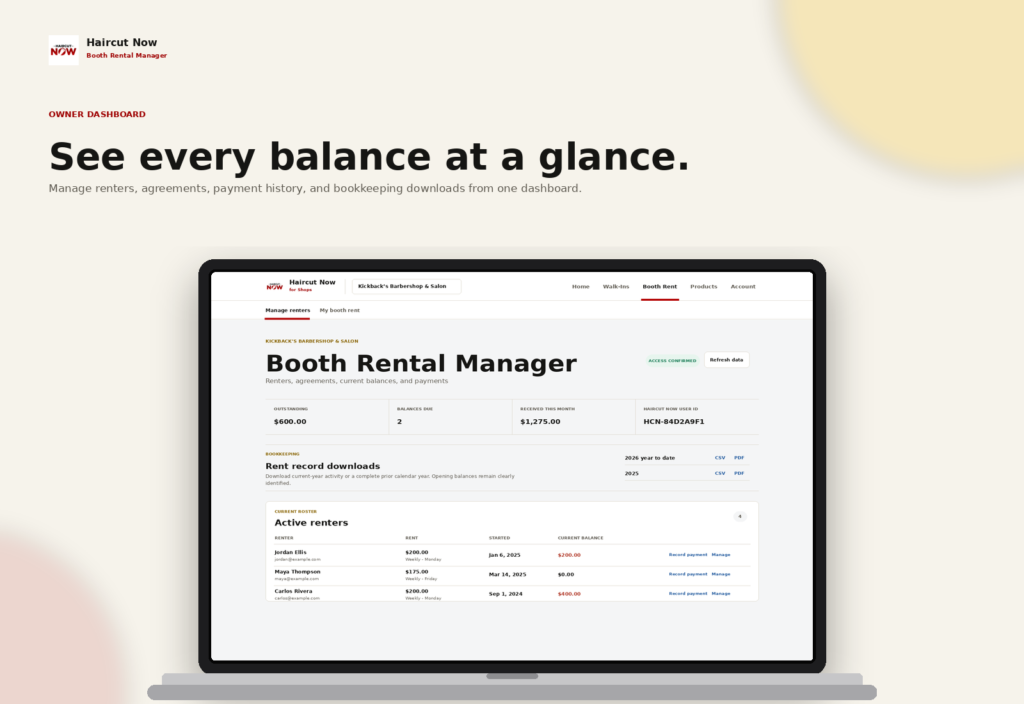
Booth rent payment tracking works best when it is simple enough to use every week and clear enough to settle questions quickly. The goal is not just to remember who paid, but to keep a clean record of what was due, what was received, what is still outstanding, and how partial payments were handled.
For booth-rent shop owners, a practical system protects cash flow, reduces awkward conversations, and makes end-of-month reconciliation much easier. The good news is that you do not need a complicated accounting setup to do it well; you need consistent fields, a weekly routine, and a clear way to define payment status.
Start with one ledger that everyone follows
The simplest approach is a single rent ledger that lists each booth renter and each rent period in one place. Whether you use a spreadsheet, notebook, or shop software, the same information should appear every time.
At minimum, your ledger should include these fields:
- Renter name
- Rent period start and end date
- Amount due
- Date payment was received
- Amount received
- Payment method note
- Remaining balance
- Status
- Notes for partial payments, carryovers, or exceptions
If you want the workflow to stay consistent, do not add extra fields unless they solve a real problem. A clean ledger is easier to keep current than a complicated one that nobody updates.
Use clear payment status definitions
One of the most useful parts of booth rent payment tracking is agreeing on what each status means. Ambiguous labels create confusion later, especially when a renter made a partial payment or paid early for a future period.
Recommended status definitions
- Due: Rent has been billed for the period, but no payment has been recorded yet.
- Partial: Some money has been received, but the full amount is still outstanding.
- Paid: The full amount due for that period has been received.
- Carried balance: A prior balance remains open and needs to be resolved in addition to the current period.
- Adjusted: The amount due was intentionally changed for that period because of an agreed discount, credit, or correction.
Keep your definitions written down so anyone helping with the books uses the same language. If a renter asks, “Did I pay last week’s booth rent?” you want one answer that the ledger can support.
Build a weekly rent tracking routine
A weekly routine keeps the ledger from becoming a month-end scramble. The exact day matters less than the habit. Pick one time each week to review what is due, what has been paid, and what still needs follow-up.
- Open the ledger for the current rent period. Check who owes for the week, month, or other schedule you use.
- Record payments as they come in. Enter the date, amount, and any note right away instead of waiting until later.
- Mark partials clearly. If a renter pays half now and the rest later, do not leave the line item ambiguous.
- Review balances before the period closes. This helps you see which accounts need a reminder and which are already settled.
- Reconcile the totals. Confirm that the ledger matches the cash, checks, bank deposits, or other records you keep.
A weekly rhythm prevents small mistakes from turning into long disputes. It also makes it easier to answer renter questions without hunting through old messages or memory.
How to handle partial payments without losing track
Partial payments are common in booth-rent shops, so your system needs a standard way to record them. The key is to separate the money received from the total amount due. Never overwrite the original rent amount unless the rent itself was officially changed.
Example: If a renter owes $200 for the week and pays $120 on Monday, the ledger should show the full amount due, the $120 received, and an $80 remaining balance. If the remaining balance is paid on Thursday, record that second payment on the same rent period rather than creating a vague note that says “paid later.”
A useful note format is:
- Due: $200
- Received: $120 on Monday
- Received: $80 on Thursday
- Status: Paid
- Notes: Split payment for current week
This approach makes reconciliation easier because the totals are visible at a glance. It also protects against accidental double counting when you review records later.
Reconcile your rent ledger against real-world records
Tracking is only useful if it matches reality. Reconciliation means checking the ledger against the actual money you received and any deposit or collection records you keep. This is the step that catches missed entries, duplicate entries, and incorrect balances.
For a simple weekly reconciliation, compare these items:
- Total rent due for the period
- Total received from all booth renters
- Any open partial balances
- Any adjustments or credits
- Cash on hand, deposit records, or manual receipts
When numbers do not match, review the ledger in order: first the rent period, then the individual renter, then any notes. A mismatch usually comes from one of three things: a payment that was not entered, a balance that was carried forward incorrectly, or an adjustment that was not documented clearly.
Set up a practical workflow for your shop
Different shops need different levels of detail, but the workflow should stay predictable. A practical booth-rent process often looks like this:
- Assign each renter a consistent rent schedule.
- Record the amount due at the start of the period.
- Enter each payment when it is received.
- Label partials immediately.
- Close the period only after reviewing open balances.
- Keep notes short, factual, and easy to understand later.
If you have more than one person helping manage the books, make sure everyone uses the same ledger and the same status terms. Even a small difference in wording can create confusion when one person believes a rent period is paid and another believes it is still open.
How booth rent software can help without taking over your process
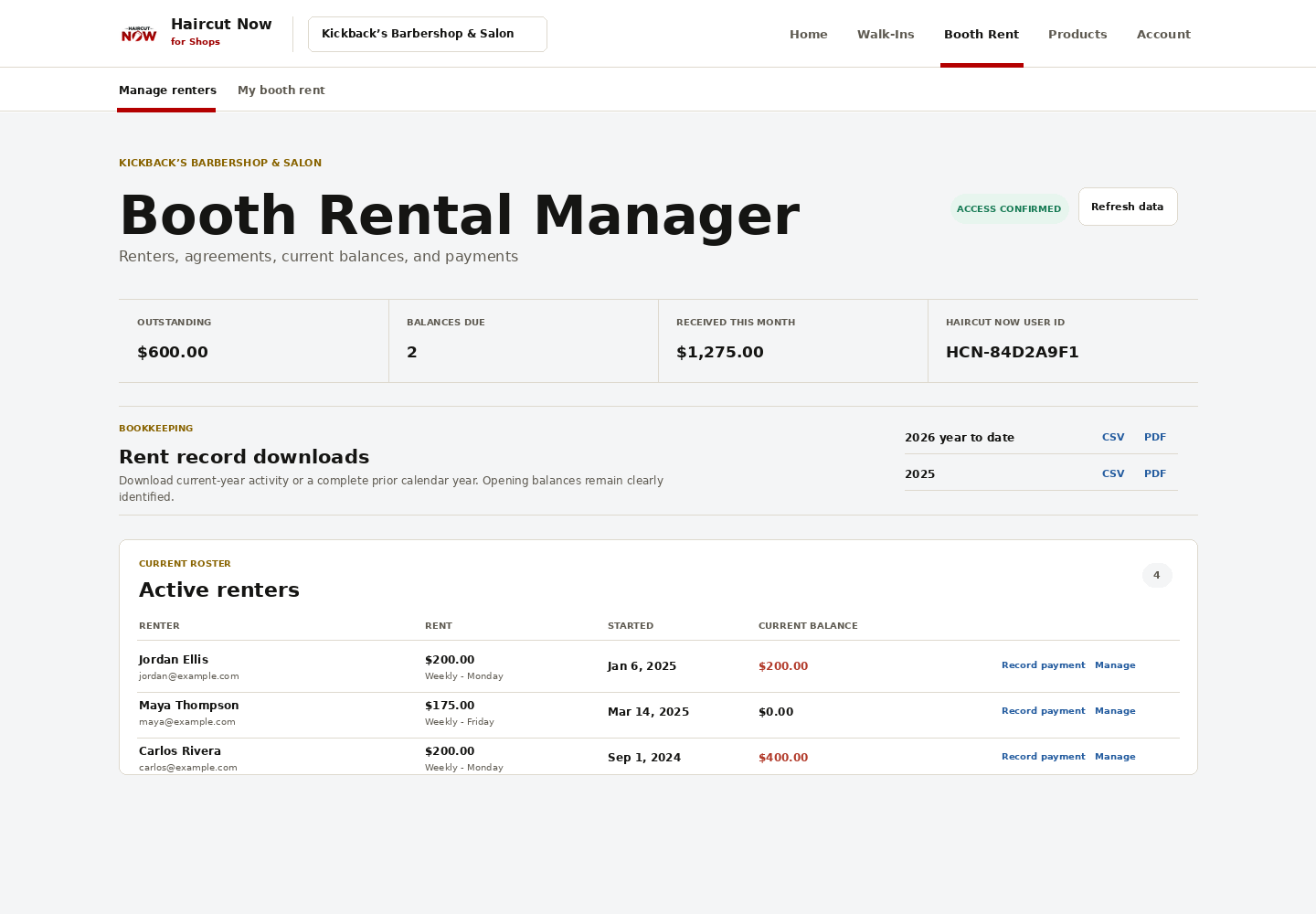
Some shop owners want a cleaner way to track balances without changing their whole system. Booth Rental Manager is designed to record booth rent balances and manual payments so you can keep your rent records organized. It is for tracking, not processing funds, so the actual payment still happens through your chosen method.
That distinction matters. The software can help you maintain a clear record of who owes what, who has made a partial payment, and what still needs to be reconciled, while your shop continues to handle money the way it already does.
If you want a more organized rent ledger workflow for your booth-rent shop, review Booth Rental Manager and see how it supports balance tracking and manual payment records.
Common mistakes to avoid
- Recording only the final outcome and not the partial steps
- Mixing rent amounts with unrelated shop expenses
- Using one vague status for several different situations
- Changing the original amount due without a note
- Waiting too long to reconcile the ledger
Most tracking problems are caused by inconsistency, not complexity. A simple process used every week is usually more reliable than a complicated one used only when there is a problem.
FAQ
How often should I update the booth rent ledger?
Update it as payments come in, then review it at least once a week so balances stay current.
Should I record partial payments separately or as one total?
Record each payment separately and keep the original amount due visible. That makes the balance easier to verify later.
What if a renter pays early for a future period?
Record the payment against the correct future rent period and note the date received so it is not mistaken for current-period rent.
Does Booth Rental Manager process the payment itself?
No. It tracks balances and manual payments; it does not process funds.
What is the main benefit of a weekly tracking routine?
It helps you catch missed entries, manage partial payments cleanly, and reconcile the books without a last-minute rush.