When a walk in customer left barbershop before a barber was ready, the biggest issue is usually not the missed haircut — it’s keeping the walk-in line accurate so the next person is handled fairly. In a booth-rent or independent-chair shop, that matters even more because the team may be sharing space without a full front desk to keep everything straight.
Walk-In Manager is built for that kind of shop flow: customers enter only their name at the kiosk, eligible team members receive mobile offers in fair round-robin order, and the queue keeps moving automatically. For owners, the practical value is less time spent chasing the line and more confidence that walk-ins, walkouts, and “who’s next” are being handled consistently.
Why walkout handling matters for a busy walk-in shop
When someone leaves before service starts, the shop still needs a clean record of what happened. If that walkout is not marked, the queue can look fuller than it really is, which can confuse the next client and create unnecessary back-and-forth for the team. In a booth-rent environment, that confusion can also interrupt the independence barbers value most: they want to stay focused on their chair, while the shop system keeps the walk-in flow organized.
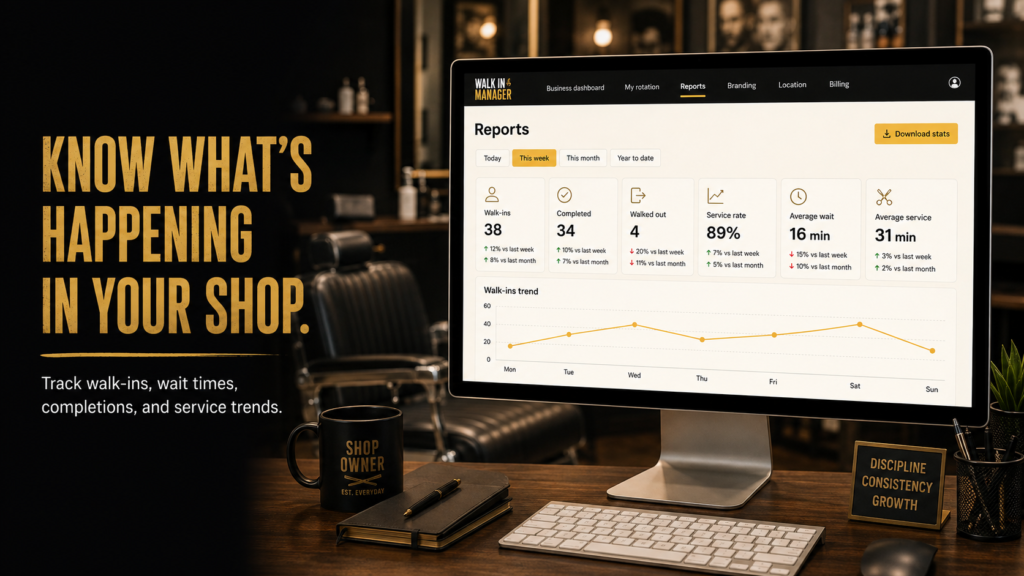
Walk-In Manager includes a Walked Out action that a barber can tap when the customer leaves. That helps the queue stay accurate, and it keeps the next offer moving without making the owner manually reset the line. The system also supports optional reports on walk-ins, completions, walkouts, wait times, and service trends, which gives an owner a clearer picture of what is happening during the day.
Keeping the walk-in queue fair after a customer leaves
A walkout should not turn into a shuffle where staff start arguing over who gets the next person. The product’s round-robin flow is designed to move walk-in offers through the eligible checked-in team in order. If a customer leaves, the queue continues; the shop does not need a separate manual restart just because one name is gone.
That matters for owners because fairness is part of the customer experience. When the line is moving predictably, clients are less likely to feel ignored, and barbers are less likely to feel that the day’s walk-ins are being handled by memory or guesswork. For a booth-rent shop, that kind of consistency can make the business feel more professional without adding extra admin work.
Front-desk communication still matters, even with automation
Even with an automated kiosk and staff offer flow, the shop still benefits from clear front-desk communication. In practice, that means someone in the shop should be ready to tell a waiting customer if their spot is still active, if the previous person left, or if the next barber is being notified. That is general shop-management advice, not a special software trick, but it helps the system feel smooth to the client.
Owners can also use the reports to spot patterns, such as repeated walkouts during certain hours or wait-time pressure that may call for better staffing or a different service mix. The software handles the queue mechanics, while the owner uses the information to make better operating decisions.
What the shop setup looks like in real life
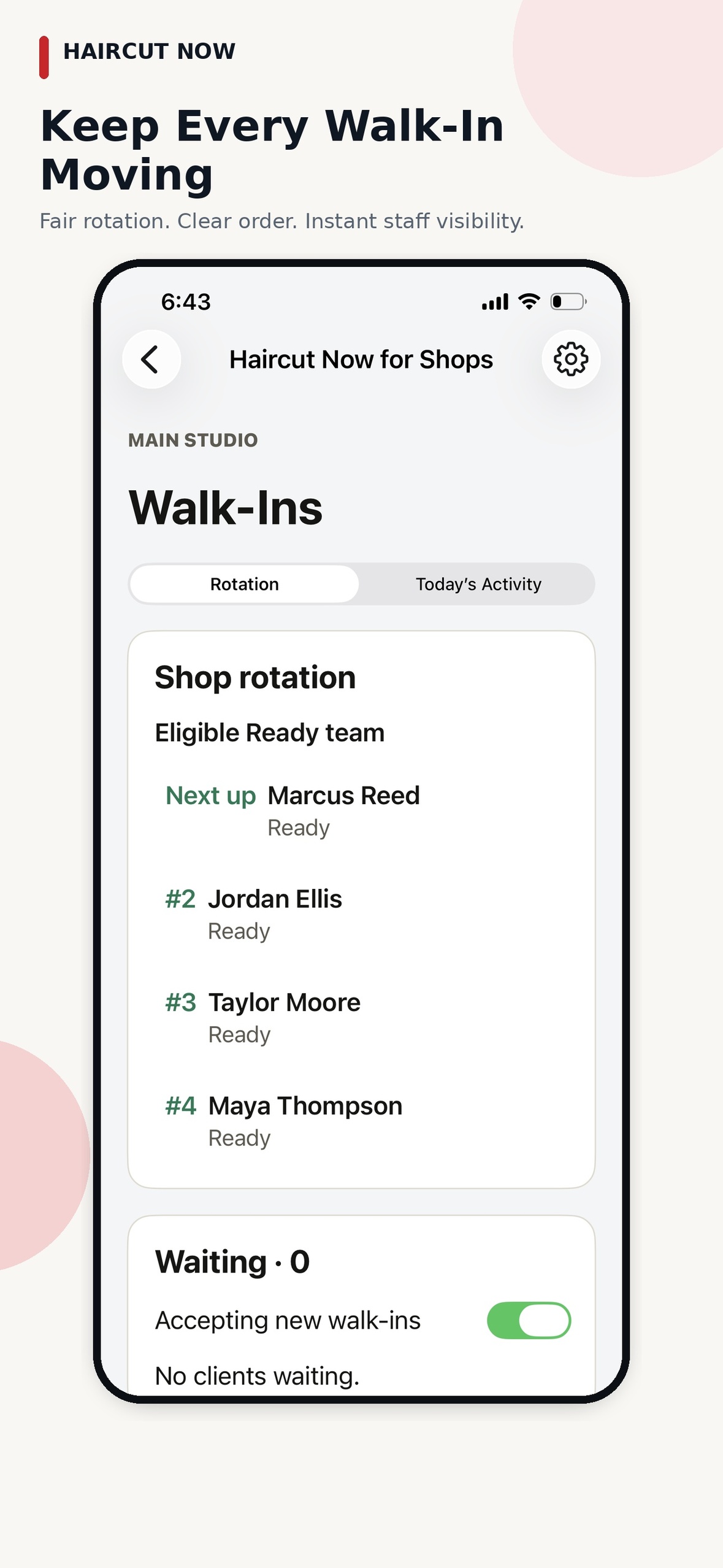
A typical setup starts with the owner or manager completing the shop, kiosk, and team setup one time. After that, team members check in when they arrive, and the system begins its fair round-robin walk-in distribution among eligible professionals. A customer walks up to the kiosk, enters only their name, and the next ready professional receives a mobile offer and taps Accept or Pass.
If an offer is ignored, the system waits for the owner-configured timeout of 30, 60, or 90 seconds, marks that staff member Busy, and continues moving through the queue. When a barber is ready again, they tap Ready. In owner-confirmed operation, the barber can also tap Walked Out when a client leaves, which helps keep the queue aligned with reality without requiring constant oversight.
Why this helps independent barbers and booth-rent owners
- Owners save time: the queue moves without routine hand-holding.
- Barbers keep independence: each professional manages their own Ready status on the mobile offer flow.
- Clients see a cleaner process: walk-ins are handled in a consistent order.
- The shop stays organized: walkouts can be recorded so the line does not get out of sync.
How to talk to a customer who leaves before being served
General advice: keep it simple and polite. If a walk-in leaves, the front of shop should acknowledge it briefly, let the barber mark the walkout, and move on to the next person. There is no need for a long explanation. In a busy shop, the best communication is usually short and calm: the line is being handled, the next offer is going out, and the system is moving forward.
That approach is especially useful in booth-rent settings, where the owner may not want to micromanage daily traffic. The goal is to keep the walk-in experience professional without turning the owner into a full-time dispatcher.
What owners can review later
Walk-In Manager includes reporting around walk-ins, completions, walkouts, wait times, and service trends. For an owner, that can be useful after the rush, when you want to know whether walkouts are happening at a particular time, whether the queue is moving evenly, or whether certain service patterns keep showing up.
The same reporting can support a better front-desk routine. If the shop notices more walkouts on certain days, the owner can decide whether to adjust staffing, spacing, or customer communication. The software helps keep the data organized so those decisions are based on the shop’s actual flow.
When Walk-In Manager is a good fit
This product fits independent-chair and booth-rent shops that want walk-in distribution to run in a fair, predictable way without requiring a receptionist to constantly manage the line. It is also a good fit for commission shops that want the same organized walk-in flow. For owners, the appeal is simple: the kiosk handles the intake, the system handles the rotation, and the team handles their own availability.
If you want a walkthrough of the walk-in workflow and shop setup, visit Walk-In Manager.
FAQ
What should I do when a walk-in customer leaves before a barber is ready?
Use the walkout control so the queue stays accurate, then let the system continue to the next eligible barber. That keeps the shop moving without a manual reset.
Does the owner need to manage every walkout?
No. After setup, the system is designed to handle the walk-in flow automatically, while the owner or manager can step in only when needed.
How does the shop keep the walk-in line fair?
Eligible checked-in team members receive offers in round-robin order, and the queue continues automatically through the next available professional.
Can the shop see what happened later?
Yes. The reporting includes walk-ins, completions, walkouts, wait times, and service trends, which helps owners review the day’s activity.
Do barbers have to wait for the front desk to assign the next walk-in?
No. The next ready, eligible professional receives the mobile offer and responds from the app.