For barbers, social media is not just a place to post pictures. It is one of the first places potential clients look before deciding whether to book an appointment.
A clean fade, a sharp beard trim, a great lineup, or a transformation cut can bring in new business, but only if people can actually see your work and contact you. That is why every barber should have a separate business page for their barbering brand, not just a personal Facebook or Instagram profile.
A personal page is for family, friends, opinions, and everyday life. A business page is for building trust, showing your work, answering questions, and making it easy for new clients to book.
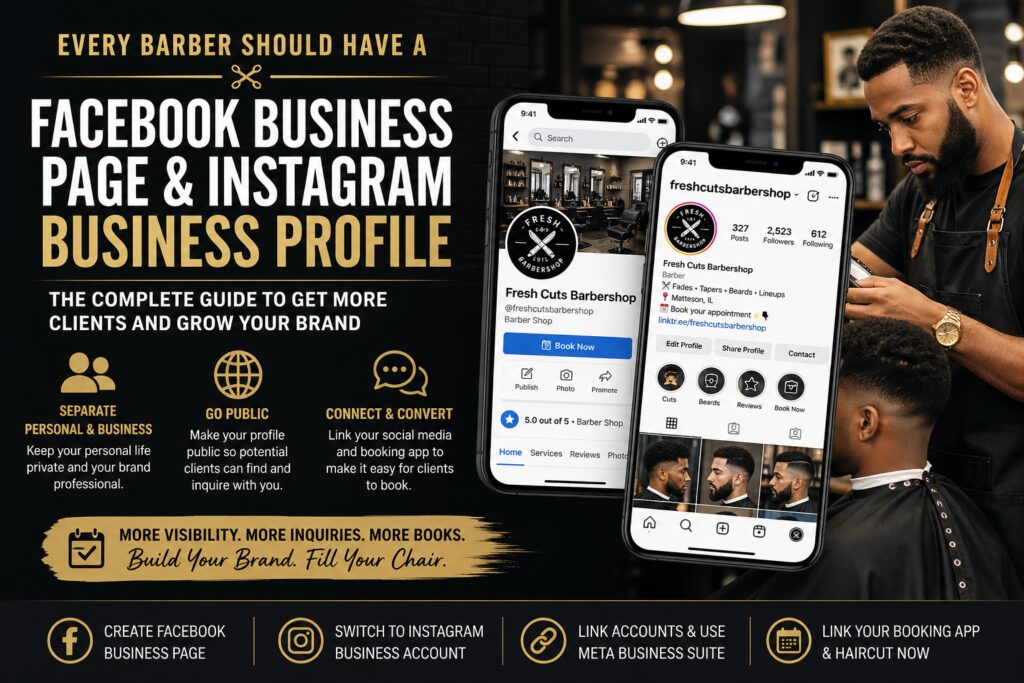
According to the setup guide used for this article, the most reliable current method is to create the Facebook Page in Facebook, switch the Instagram account to a professional business account, connect the two, and then manage them through Meta Business Suite.
Why Barbers Should Separate Their Personal Page From Their Business Page
Many barbers start by posting haircut photos on their personal Facebook or Instagram accounts. That may work in the beginning, especially if most of your clients come from people you already know. But as your business grows, combining your personal life and barber brand can hold you back.
Your business page should have one clear purpose: helping potential clients trust you enough to book.
When someone finds your barber page, they should quickly see:
Photos of your work
Your location or service area
Your business hours
Your booking link
Your phone number or inquiry option
Your reviews or client feedback
Your style, specialty, and professionalism
If that same person lands on a personal page full of unrelated posts, private photos, jokes, opinions, or content that has nothing to do with barbering, they may leave before ever asking about a haircut.
That does not mean your personal page is bad. It just means it is not built to convert strangers into clients.
Your Personal Profile Is Not Your Barber Brand
A personal profile is built around you as a person. A business page is built around the service you provide.
For a barber, that difference matters.
Your business page should represent your chair, your skills, your customer experience, and your availability. It should make the client feel like they are dealing with a professional who takes their craft seriously.
When you separate the two, you get more control over your brand. You can post haircut content without worrying about mixing it with personal updates. You can run ads. You can view insights. You can connect to Instagram. You can use Meta Business Suite. You can add a call-to-action button. You can give access to a team member without giving them access to your personal Facebook account.
That is why a Facebook Business Page and Instagram Business profile should be considered basic tools for every serious barber.
Why Your Barber Business Profile Should Be Public
One of the biggest mistakes barbers make is keeping their Instagram profile private.
A private profile may feel more comfortable, but it creates friction for new clients. If someone has to request to follow you just to see your haircut photos, many people will not bother. They may move on to another barber whose work is already visible.
When your profile is public, potential clients can:
View your haircut photos immediately
Decide if your style fits what they want
Send you a direct message
Click your booking link
Share your profile with someone else
Find you through search, hashtags, location tags, and recommendations
The report also notes that switching an Instagram account to a Business account makes the profile public, and Meta does not allow business accounts to stay private. For barbers, that is usually a good thing because visibility is the entire point.
If you want privacy for personal content, keep that content on your personal page. Your barber business page should be open, easy to view, and easy to contact.
A Public Business Page Helps Clients Make Inquiries
A lot of clients are not ready to book immediately. Some want to ask questions first.
They may want to know:
“Do you cut kids?”
“Do you do beard work?”
“Are you available today?”
“Can you do this style?”
“How much is a haircut and beard?”
“Where are you located?”
“Do you accept walk-ins?”
If your page is private, incomplete, or mixed with personal content, that client may never reach out. But when your business profile is public and properly set up, it becomes an inquiry machine.
Every photo, reel, review, and post becomes part of your sales process. The more professional and accessible your page looks, the easier it is for clients to trust you.
Why Barbers Should Link Facebook and Instagram
Facebook and Instagram are both important for barbers, but they work even better when connected.
When your Facebook Business Page and Instagram Business profile are linked, you can manage both from Meta Business Suite. That allows you to post content, check messages, view insights, and manage some business tools from one place.
This is especially helpful for barbers who already have a busy schedule. Instead of jumping between platforms all day, you can simplify your workflow.
Linking Facebook and Instagram can help you:
Post to Facebook and Instagram together
Manage messages from one inbox
View performance insights
Run ads more easily
Keep your branding consistent
Make your business look more established
Use Meta Business Suite for scheduling and management
For barbers trying to grow, this matters. A connected setup gives you a more professional online presence and makes it easier to stay consistent.
How Haircut Now Helps Barbers Connect Their Online Presence
Your Facebook and Instagram pages are important, but they should not be the only places clients can find you.
Haircut Now gives barbers another way to build visibility by creating a barber profile that can include links to all of your social media pages and your existing booking app.
That means your Haircut Now listing can work like a central hub for your barber business.
Instead of making clients search all over the internet, you can connect them to:
Your Instagram
Your Facebook Page
Your TikTok
Your YouTube
Your website
Your existing booking app
Your Haircut Now profile
Your photos, services, and business information
This is powerful because many barbers already use platforms like Booksy, TheCut, Squire, GlossGenius, or other booking systems. Haircut Now does not force you to abandon what you already use. You can link to your existing booking app while also improving your chances of being discovered by new clients.
The Benefit of Linking Your Booking App to Haircut Now
If you already have a booking app, linking it to your Haircut Now profile can help turn profile visitors into appointments.
A potential client may discover you on Haircut Now, check your photos, view your information, click your social media links, and then book through your existing booking app.
That creates a smoother path from discovery to booking.
The benefit is simple: do not make clients work too hard.
If a client likes your work, they should be able to book quickly. Every extra step can cost you an appointment. By linking your social media and booking app to your Haircut Now profile, you give people several ways to connect with you.
Some clients may message you first. Some may follow you on Instagram. Some may book right away. The goal is to give them options.
What You Need Before You Start
Before creating and linking your Facebook and Instagram business pages, make sure you have access to the right accounts.
You will need:
A personal Facebook profile
Access to the Instagram account you want to use
A barber business name or brand name
A profile photo or logo
A cover photo for Facebook
A short bio or business description
Your shop address, suite location, or service area
Your booking link, if you already use one
A phone number, email, or inquiry method
Access to Meta Business Suite if you plan to manage both accounts together
The report also recommends using an updated desktop browser, such as Chrome, Firefox, Safari, or Edge, for Facebook setup because some Page management features may not appear correctly in mobile browsers.
Step 1: Create Your Facebook Business Page on Desktop
For many barbers, the easiest way to start is by creating a Facebook Page from Facebook on a desktop computer.
How to create a page on Facebook desktop
Log in to Facebook from your computer.
Look for Pages in the left sidebar. If you do not see it there, click Menu, then choose Pages.
Click Create new Page or Create.
If Facebook asks what type of page you want to create, choose the professional or business option.
Enter your Page name. This should usually be your barber name, shop name, or brand name. For example:
“Mike The Barber”
“Fresh Cuts By Dre”
“Elite Fade Studio”
“Kickbacks Barbershop”
Choose the best category. Good category options may include:
Barber Shop
Hair Salon
Beauty, Cosmetic & Personal Care
Local Service
Add a short bio. This should explain who you are, where you are located, and what type of services you offer.
Example:
“Professional barber specializing in fades, beard trims, kids cuts, and modern men’s grooming. Located in Matteson, IL. Book online or message for availability.”
Upload a profile photo. This can be your logo, a professional headshot, or a clean image connected to your barber brand.
Upload a cover photo. This can show your shop, your chair, your best work, or a branded graphic with your booking information.
Finish the prompts and publish the Page.
Step 2: Create Your Facebook Business Page From the Facebook Mobile App
If you prefer to use your phone, you can create the Page from the Facebook app.
How to create a page on mobile
Open the Facebook app.
Tap Menu.
Tap Pages.
Tap Create.
Enter your Page name.
Choose your category.
Follow the prompts to add your bio, profile photo, cover photo, and business details.
Once the Page is created, you can return to the Page settings later to connect Instagram.
This mobile method is helpful if you do most of your barber marketing from your phone, but if a setting is missing, switch to a desktop. Some account and access settings are easier to find on a computer.
Step 3: Set Up or Convert Your Instagram to a Business Account
Your Instagram should also be set up as a professional business account.
This is important because a business account gives you access to tools that personal accounts do not have. You can view insights, add business information, connect to a Facebook Page, run ads, and manage your business more professionally.
How to switch Instagram to a Business account
Open the Instagram app.
Go to your profile.
Tap the menu icon in the top right corner.
Tap Settings and privacy.
Tap Account type and tools.
Tap Switch to professional account.
Choose the category that best describes your barber business.
Select Business instead of Creator if you want business tools.
Add your business contact information or skip it for now if you are not ready.
Follow the prompts to finish the setup.
Once this is done, your Instagram account becomes a professional account. If you choose Business, it will be public. That is important because potential clients need to see your work without waiting for approval.
Step 4: Link Instagram to Your Facebook Page From Instagram
One of the easiest ways to connect the two accounts is directly from the Instagram app.
How to link from Instagram
Open Instagram.
Go to your professional profile.
Tap Edit profile.
Scroll to Public business information.
Tap Page.
Tap Connect.
Choose the Facebook Page you created.
Tap Connect again to confirm.
If you do not already have a Facebook Page, Instagram may also give you the option to create a new one during this step.
Once connected, your Instagram profile and Facebook Business Page can work together more smoothly.
Step 5: Link Instagram From the Facebook Page on Desktop
You can also connect Instagram from the Facebook Page side.
How to link from Facebook desktop
Log in to Facebook.
Switch into the Facebook Page you want to manage.
Click your profile photo.
Choose See all profiles.
Select the business Page.
Click the Page profile photo in the top right.
Go to Settings & privacy.
Click Settings.
Under permissions or account settings, look for Linked accounts.
Click Instagram.
Click Connect account.
Log in to Instagram and follow the prompts.
This is a good option if you created your Facebook Page first and want to connect Instagram afterward.
Step 6: Link Instagram From the Facebook Mobile App
If you are using the Facebook app, you can also connect from the Page settings.
How to link from Facebook mobile
Open the Facebook app.
Go to your business Page.
Tap Settings and privacy.
Tap Settings.
Tap Linked accounts.
Tap Instagram.
Tap Connect account.
Log in and complete the prompts.
If you do not see these options in a mobile browser, use the Facebook app or switch to desktop.
Step 7: Use Meta Business Suite to Manage Both Accounts
Once your Facebook Page and Instagram Business profile are connected, Meta Business Suite becomes useful.
Meta Business Suite allows you to manage your connected Facebook and Instagram presence in one place.
You can use it to:
Create posts
Schedule content
Reply to messages
View insights
Manage ads
Check account performance
Confirm that Facebook and Instagram are properly connected
How to access Meta Business Suite
Go to Meta Business Suite on desktop or open the Meta Business Suite mobile app.
Select the correct business Page or business portfolio.
Check that your Facebook Page and Instagram account appear together.
Open the inbox and confirm that Instagram messages are connected.
Create a test post and check whether you can post to Facebook, Instagram, or both.
Review the insights section to make sure your accounts are being tracked.
This step is important because creating the accounts is not enough. You want to make sure they are connected and working properly.
Step 8: Add a Call-to-Action Button to Your Facebook Page
Your Facebook Page should not just look good. It should tell people what to do next.
That is where the call-to-action button helps.
Depending on your setup, you may be able to add a button such as:
Book Now
Send Message
Call Now
Contact Us
Learn More
Sign Up
For most barbers, Book Now or Send Message will make the most sense.
If you already use a booking app, connect the button to your booking link. If you prefer to speak with clients first, use a message button.
The easier you make it for clients to take action, the more inquiries and bookings you can receive.
Step 9: Make Your Barber Page Look Professional
Once your Facebook and Instagram business pages are created, take time to complete them.
A page with no photos, no bio, and no booking information does not build much trust.
Add a clear bio
Your bio should quickly explain what you do and where you are located.
Example:
“Chicago South Suburbs barber specializing in fades, tapers, beard trims, kids cuts, and men’s grooming. View my work, message me with questions, or book online.”
Add your location
Clients want to know where they are going before they book. Add your shop, suite, city, or service area.
If you work inside a barbershop, list the shop name and city.
Add service details
Mention your main services, such as:
Adult haircuts
Kids haircuts
Beard trims
Lineups
Tapers
Fades
Shaves
Enhancements
Designs
Loc maintenance
Hair units
You do not have to list every detail, but clients should understand what you offer.
Add your booking link
If you already use a booking app, include that link wherever possible.
Also, add that booking link to your Haircut Now profile so clients who find you through Haircut Now can book without searching for your information elsewhere.
Add strong photos
Photos sell your work. Post clear photos of your best cuts.
Use good lighting. Show different angles. Post before-and-after transformations when possible. Avoid blurry photos or distracting backgrounds.
Add reels and videos
Short haircut videos can perform very well. Show the process, the final look, client transformations, beard work, or clean lineup shots.
Potential clients want proof that you can deliver the style they want.
Step 10: Connect Your Social Media and Booking Links to Haircut Now
After your Facebook Page and Instagram Business profile are ready, make sure your Haircut Now listing is also complete.
Haircut Now allows barbers to link to their social media profiles and existing booking app. This gives clients more ways to learn about you and contact you.
Your Haircut Now profile should include:
Your barber’s name or business name
Your location
Your profile photo
Haircut photos
Social media links
Booking app link
Services
Business details
Contact options
This matters because not every client will discover you the same way.
Some may find you on Google. Some may find you through Haircut Now. Some may check your Instagram before booking. Some may want to see your Facebook Page. Some may go straight to your booking app.
When everything is connected, you create a stronger online presence.
Why Linking Everything Together Helps You Get More Clients
Think of your online presence like a web.
Your Facebook Page, Instagram profile, Haircut Now listing, and booking app should all support each other.
A client may find your Haircut Now profile first, then click your Instagram to see more photos. Another client may see your Instagram reel, then click your booking app. Someone else may find your Facebook Page, then visit your Haircut Now listing to learn more.
When your pages are connected, you reduce confusion.
You also build trust because clients see the same business name, same branding, same photos, and same booking options across multiple platforms.
That makes you look more professional.
Common Mistakes Barbers Should Avoid
Using only a personal profile
Your personal profile should not be your main barber business page. It limits your branding and can make your business look less professional.
Keeping your Instagram private
Private profiles block new clients from seeing your work. A business profile should be public.
Not adding a booking link
If people like your work but cannot figure out how to book, you may lose the appointment.
Not checking messages
If your Facebook, Instagram, or Haircut Now profile receives inquiries, respond quickly. Speed matters.
Posting without business information
Photos are great, but clients also need your location, services, and booking instructions.
Mixing too much personal content into your business page
Your business page should stay focused on barbering, grooming, client results, and booking.
Not using Meta Business Suite
If your Facebook and Instagram are connected, Meta Business Suite can help you manage both more efficiently.
Troubleshooting: What If Something Does Not Work?
You cannot create a Facebook Page
Your Facebook account may be new, restricted, or missing verified contact information. Make sure your Facebook account has a verified email address or phone number and is in good standing.
Instagram will not connect to the Facebook Page
Make sure your Instagram is switched to a professional account. Also, make sure you have the correct access to the Facebook Page.
The Facebook Page does not appear on Instagram
You may not have the right Facebook access to the Page, or the Page may be connected to another business portfolio.
You cannot find the setting on your phone
Some settings may not appear in a mobile browser. Use the Facebook app, Instagram app, Meta Business Suite app, or a desktop browser.
Instagram messages are not showing in Meta Business Suite
You may need to allow access to Instagram messages inside Meta Business Suite. Open the inbox, select Instagram, and follow the prompt to allow message access.
Your business tools disappeared
This can happen if the Instagram account was switched back to a personal account. Switch it back to a professional account and reconnect the Facebook Page if needed.
Final Checklist for Barbers
Before you finish, make sure you have completed these steps:
Created a Facebook Business Page
Switched Instagram to a Business account
Made sure Instagram is public
Linked Instagram to the Facebook Page
Added your barber bio
Added your location or service area
Uploaded a profile photo and cover photo
Added haircut photos and videos
Added a booking link
Added a call-to-action button
Checked Meta Business Suite
Connected your social media links to Haircut Now
Added your existing booking app link to Haircut Now
Tested your links as if you were a client
If you complete these steps, you will have a much stronger online presence than a barber who only posts occasionally from a personal page.
Join Haircut Now
Ready to turn your online presence into more client inquiries? Create or claim your free Haircut Now profile today and connect all the places clients already look for you — your Instagram, Facebook Business Page, TikTok, website, and existing booking app. Haircut Now gives barbers a professional profile that helps potential clients discover your work, view your photos, check your information, follow your social media, and book through the system you already use. Upgrade to Premium to unlock even more visibility, add more photos, promote your brand, and make it easier for new clients to find and choose you. Join Now
Final Thoughts
Every barber should have a public business page.
Your personal profile may help people know you, but your business page helps people book you.
A separate Facebook Business Page and Instagram Business profile make your barber brand easier to find, easier to trust, and easier to contact. When those pages are connected and linked from your Haircut Now profile, you create a simple path for potential clients to view your work, ask questions, follow you, and book an appointment.
The goal is not just to be online. The goal is to make it easy for new clients to choose you.
A public, professional, connected business presence can help you do exactly that.
FAQ
Should barbers use a personal page or a business page?
Barbers should have both, but they should use them differently. A personal page is for personal content. A business page is for haircut photos, booking information, client inquiries, reviews, services, and business updates.
Why should my barber Instagram be public?
Your Instagram should be public because potential clients need to see your work before they decide to contact you or book. A private profile creates an extra step, and many people will not request to follow just to view haircut photos.
What happens when I switch Instagram to a Business account?
Switching to a Business account gives you access to professional tools like insights, contact options, business information, ads, and Facebook Page linking. It also makes your Instagram public.
Do I need a Facebook Page to use Instagram for my barber business?
You can use Instagram without a Facebook Page, but connecting the two gives you more tools. It allows you to manage both accounts through Meta Business Suite, cross-post content, view insights, and handle messages more efficiently.
What should I post on my barber business page?
Post haircut photos, before-and-after transformations, beard work, client results, available appointment times, grooming tips, shop updates, videos, reels, and booking reminders.
Should I link my booking app to my social media?
Yes. If you already use a booking app, link it to your Facebook Page, Instagram profile, and Haircut Now listing. The easier it is to book, the more likely a client is to take action.
Can I add my social media links to Haircut Now?
Yes. Haircut Now allows barbers to link to their social media profiles, helping potential clients view more of their work and connect with them on the platforms they already use.
Can I link my existing booking app to Haircut Now?
Yes. If you already use a booking app, you can link it to your Haircut Now profile. This helps clients who discover you on Haircut Now book through the system you already use.
Why should I use Haircut Now if I already have Instagram and a booking app?
Instagram helps people see your work, and your booking app helps people schedule. Haircut Now helps with discovery by giving potential clients another place to find your barber profile, view your information, connect with your social media, and access your booking link.
What is the biggest mistake barbers make with social media?
One of the biggest mistakes is treating a personal profile like a business page. A barber business page should be public, professional, easy to contact, and focused on helping clients book.